> ## Documentation Index
> Fetch the complete documentation index at: https://documentation.idenfy.com/llms.txt
> Use this file to discover all available pages before exploring further.
# AI Review Tab
> Use the AI review tab in the iDenfy dashboard to run automated document and identity analysis checks and view detailed AI review results.
### Initiating a Review
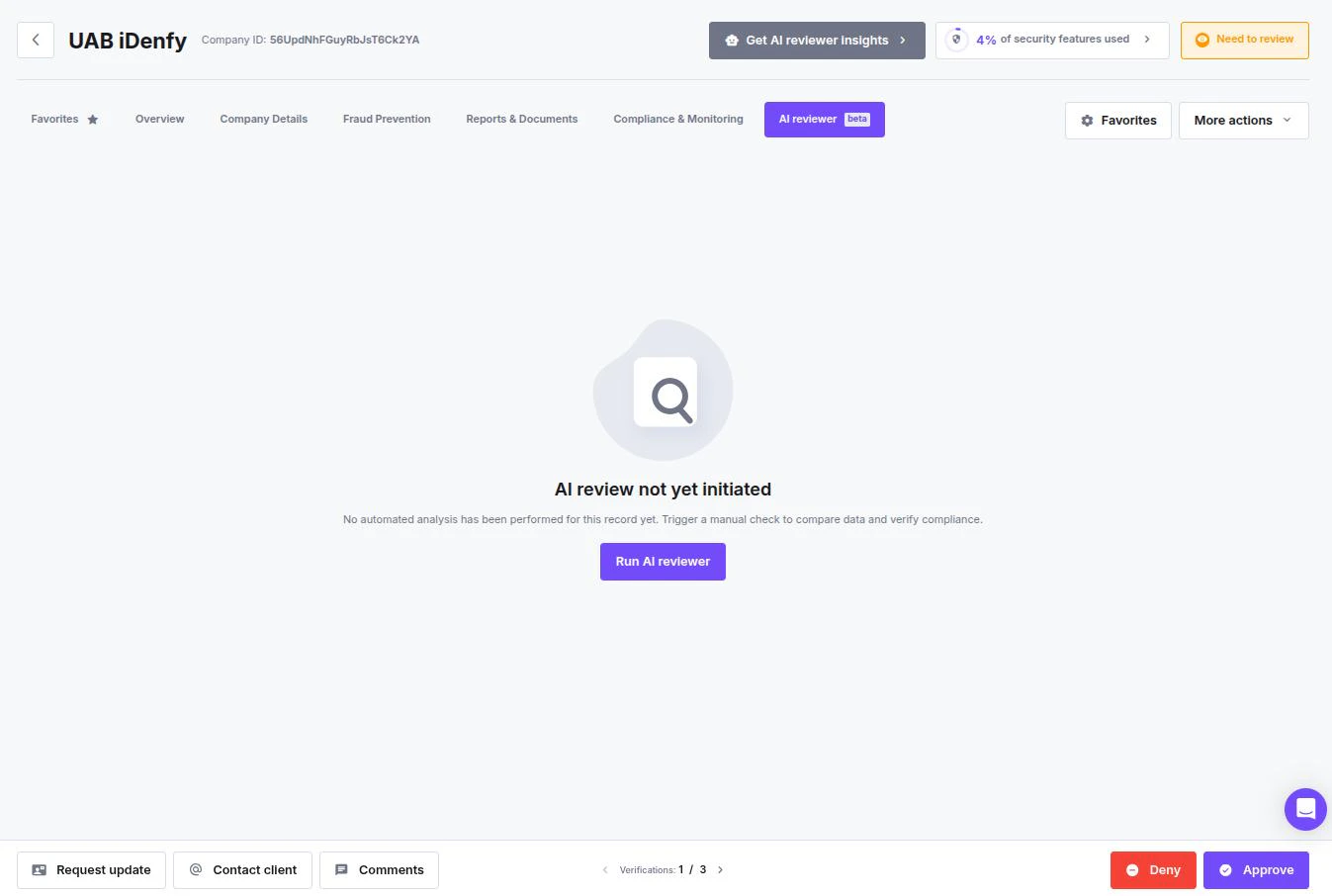
If the automated analysis has not been triggered yet, the main window will display an **"AI review not yet initiated"** status.
* **To start the process,** Click the **Run AI reviewer** button in the center of the screen.
* **Alternative:** You can also click the **Get AI reviewer insights** button located in the top header next to the company status.
 **Feature enabling**
To use this feature, you first need [**settings enabled**](https://idenfy-ivs.atlassian.net/servicedesk/customer/portal/1) and an **AI flow** set up.
***
## AI Review Results
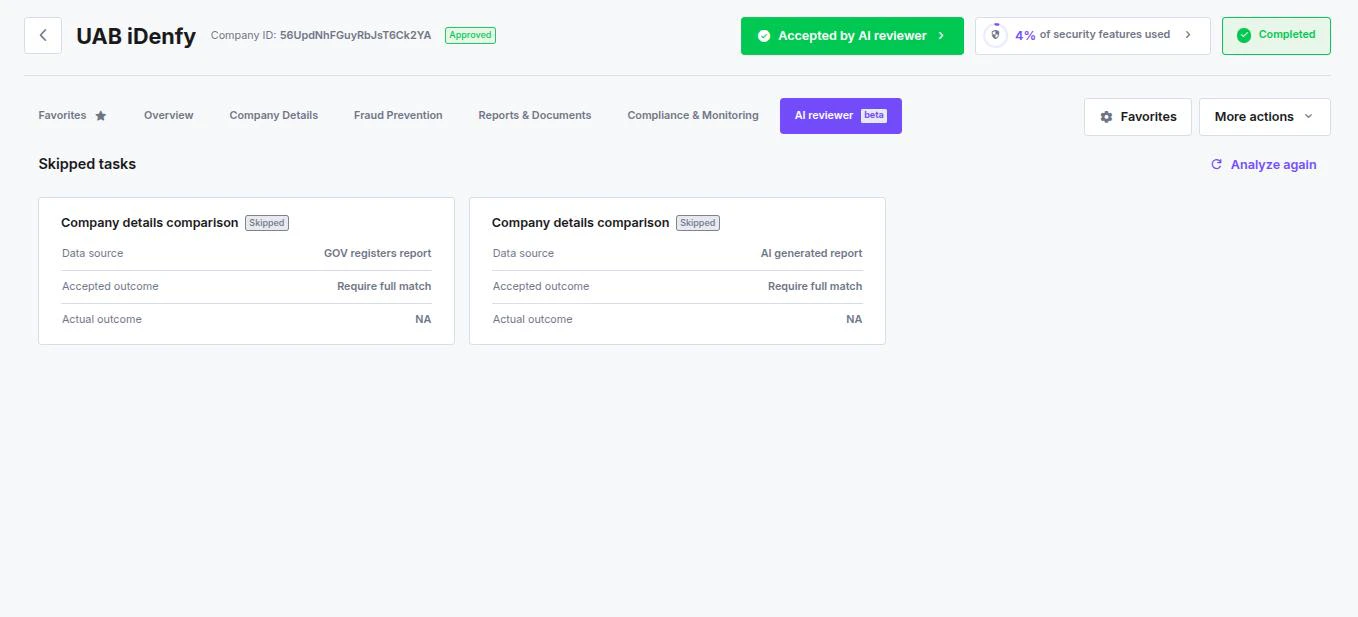
Once the AI Reviewer finishes its analysis, the interface updates to reflect the automated decision. You can verify the outcome using the status indicators and detailed task cards.
### Verifying the Outcome
Immediately assess the general result at the top of the company profile:
* **Company Status Badge:** Look for the green **Approved** badge next to the Company ID.
* **AI Decision Button:** A green button labeled **Accepted by AI reviewer** indicates that the automation logic successfully cleared the entity.
### Analyzing Specific Tasks
In the **AI reviewer** tab, the system breaks down the individual rules that were processed.
**Understanding Task Cards:** Each comparison rule is displayed as a card.
* **Skipped tasks:** If the AI could not perform a check (e.g., data was missing or the specific report wasn't available), the task is marked as **Skipped**.
* **Actual outcome:** Displays the result of the check. If skipped, this will show **NA**.
* **Analyze again:** If you have updated data or fixed a configuration, click the **Analyze again** icon to re-run the specific check.
**Feature enabling**
To use this feature, you first need [**settings enabled**](https://idenfy-ivs.atlassian.net/servicedesk/customer/portal/1) and an **AI flow** set up.
***
## AI Review Results
Once the AI Reviewer finishes its analysis, the interface updates to reflect the automated decision. You can verify the outcome using the status indicators and detailed task cards.
### Verifying the Outcome
Immediately assess the general result at the top of the company profile:
* **Company Status Badge:** Look for the green **Approved** badge next to the Company ID.
* **AI Decision Button:** A green button labeled **Accepted by AI reviewer** indicates that the automation logic successfully cleared the entity.
### Analyzing Specific Tasks
In the **AI reviewer** tab, the system breaks down the individual rules that were processed.
**Understanding Task Cards:** Each comparison rule is displayed as a card.
* **Skipped tasks:** If the AI could not perform a check (e.g., data was missing or the specific report wasn't available), the task is marked as **Skipped**.
* **Actual outcome:** Displays the result of the check. If skipped, this will show **NA**.
* **Analyze again:** If you have updated data or fixed a configuration, click the **Analyze again** icon to re-run the specific check.