> ## Documentation Index
> Fetch the complete documentation index at: https://documentation.idenfy.com/llms.txt
> Use this file to discover all available pages before exploring further.
# Sole Proprietorship Workflow Step
> Configure the sole proprietorship step in iDenfy KYB workflows with custom fields for business details, documents, and owner data.
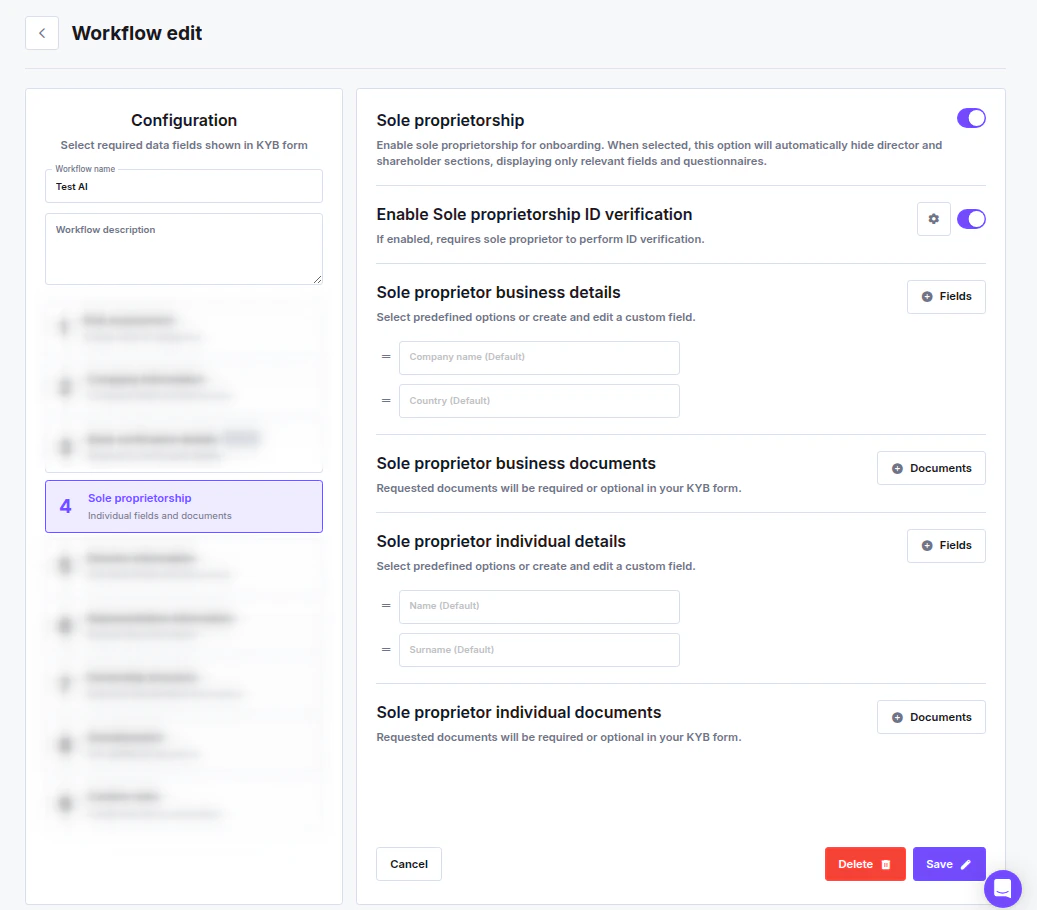 The **Sole Proprietorship** step lets you tailor the KYB flow for individual business owners. When enabled, it hides the director and shareholder sections and replaces them with dedicated fields for the sole proprietor.
## Enabling Sole Proprietorship
Toggle **Sole proprietorship** to activate the step. Once enabled, the director and shareholder sections are automatically hidden — only the fields and questionnaires relevant to a sole proprietor are shown to the applicant.
## Identity Verification for the Owner
When the main toggle is on, an additional option becomes available:
**Enable Sole proprietorship ID verification** — when toggled on, the sole proprietor is required to complete a [personal identity verification (IDV)](/guides/dashboard/kyc/identity-verification-in-workflow) check as part of the KYB onboarding process.
## Configurable Sections
Each section can be customized with additional fields or document requirements.
### Sole Proprietor Business Details
Configure the business information collected from the sole proprietor. Default fields:
* **Company name** (Default)
* **Country** (Default)
Use the **Fields** button to add or reorder fields. See [Field Management](/guides/dashboard/general/field-management-individuals-companies) for details.
### Sole Proprietor Business Documents
Define which business documents the sole proprietor must upload. Use the **Documents** button to configure accepted document types and requirements. See [Document Management](/guides/dashboard/general/document-management-individuals-companies).
### Sole Proprietor Individual Details
Configure the personal information collected from the owner. Default fields:
* **Name** (Default)
* **Surname** (Default)
Use the **Fields** button to add or reorder fields.
### Sole Proprietor Individual Documents
Define which personal identity documents the sole proprietor must provide. Use the **Documents** button to configure accepted types and requirements.
***
## Testing Your Configuration
To verify the flow works correctly, create a test session manually:
1. Go to **Business Verifications → Create session**, select the flow you configured, and submit.
The **Sole Proprietorship** step lets you tailor the KYB flow for individual business owners. When enabled, it hides the director and shareholder sections and replaces them with dedicated fields for the sole proprietor.
## Enabling Sole Proprietorship
Toggle **Sole proprietorship** to activate the step. Once enabled, the director and shareholder sections are automatically hidden — only the fields and questionnaires relevant to a sole proprietor are shown to the applicant.
## Identity Verification for the Owner
When the main toggle is on, an additional option becomes available:
**Enable Sole proprietorship ID verification** — when toggled on, the sole proprietor is required to complete a [personal identity verification (IDV)](/guides/dashboard/kyc/identity-verification-in-workflow) check as part of the KYB onboarding process.
## Configurable Sections
Each section can be customized with additional fields or document requirements.
### Sole Proprietor Business Details
Configure the business information collected from the sole proprietor. Default fields:
* **Company name** (Default)
* **Country** (Default)
Use the **Fields** button to add or reorder fields. See [Field Management](/guides/dashboard/general/field-management-individuals-companies) for details.
### Sole Proprietor Business Documents
Define which business documents the sole proprietor must upload. Use the **Documents** button to configure accepted document types and requirements. See [Document Management](/guides/dashboard/general/document-management-individuals-companies).
### Sole Proprietor Individual Details
Configure the personal information collected from the owner. Default fields:
* **Name** (Default)
* **Surname** (Default)
Use the **Fields** button to add or reorder fields.
### Sole Proprietor Individual Documents
Define which personal identity documents the sole proprietor must provide. Use the **Documents** button to configure accepted types and requirements.
***
## Testing Your Configuration
To verify the flow works correctly, create a test session manually:
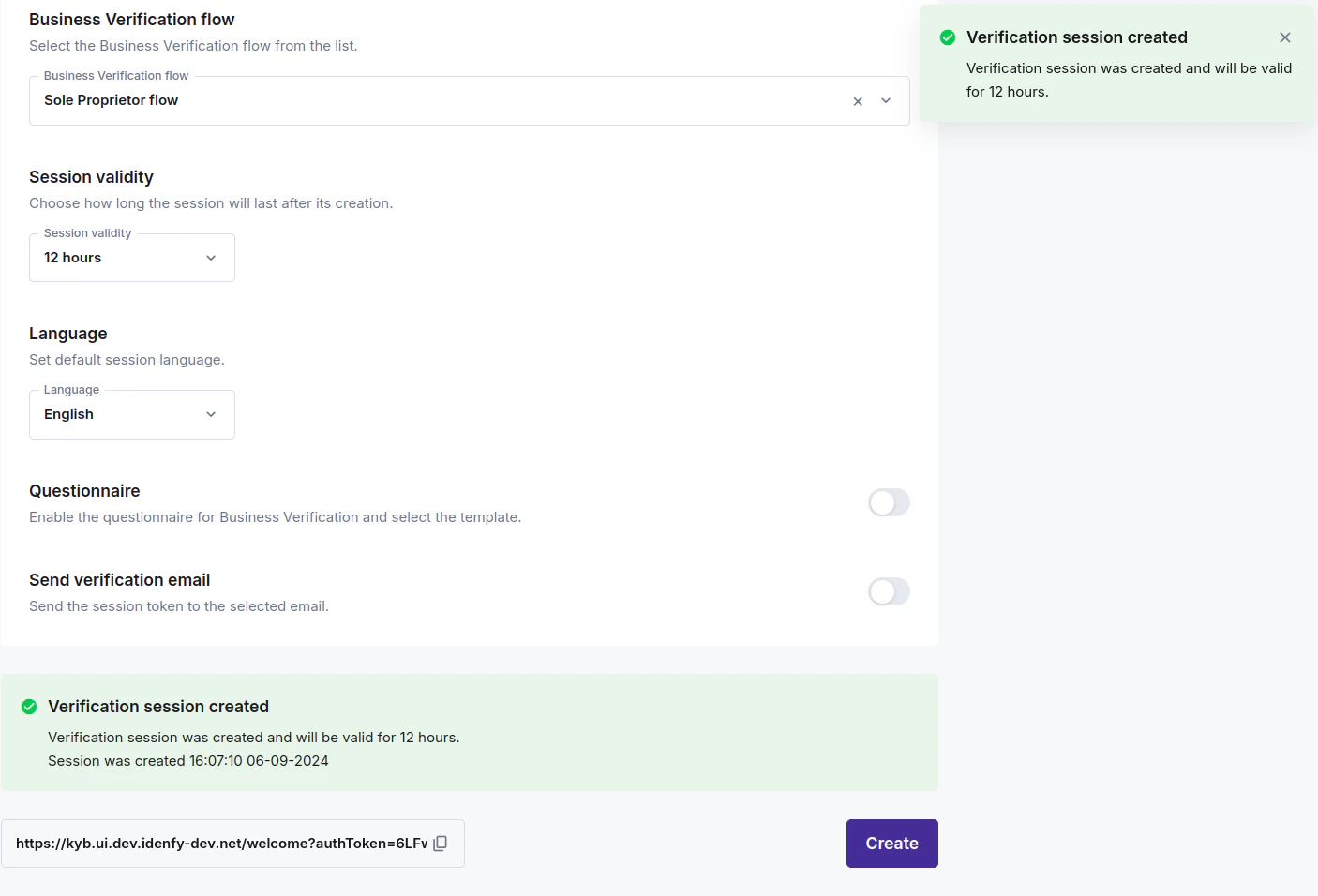
1. Go to **Business Verifications → Create session**, select the flow you configured, and submit.
 2. Open the generated link and begin onboarding as a client would.
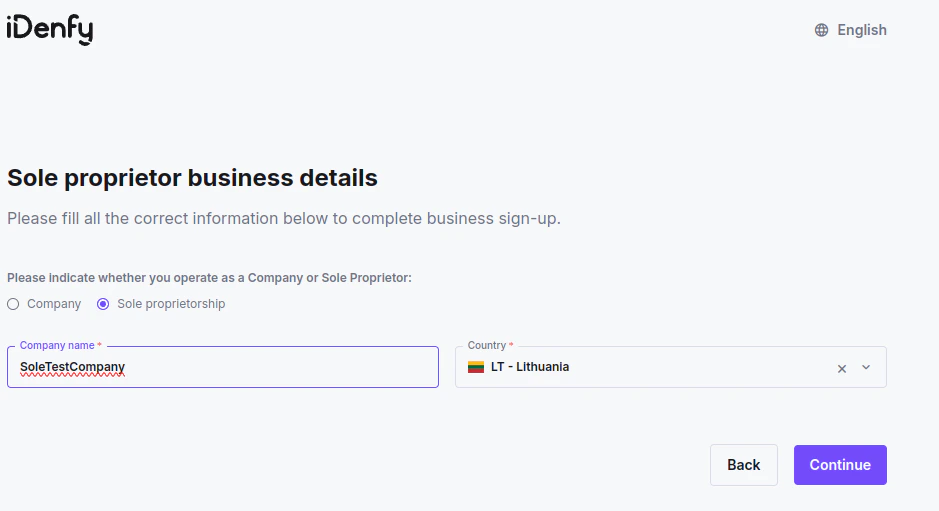
 3. On the **Company details** page, confirm the **Sole proprietorship** option is visible and selectable. Once chosen, the director and shareholder sections should disappear and the sole proprietor fields should appear.