> ## Documentation Index
> Fetch the complete documentation index at: https://documentation.idenfy.com/llms.txt
> Use this file to discover all available pages before exploring further.
# Verification Sandbox and Testing
> Create sample KYC verification results from the iDenfy dashboard to test integrations, webhook handling, and decision logic without real users.
**Create test verification results directly from the Dashboard**
The **Sample verification** feature allows you to generate test identity verifications with predefined outcomes. It is designed to help you validate integrations, webhook handling, and decision logic **without real users or documents**.
**Key characteristics**
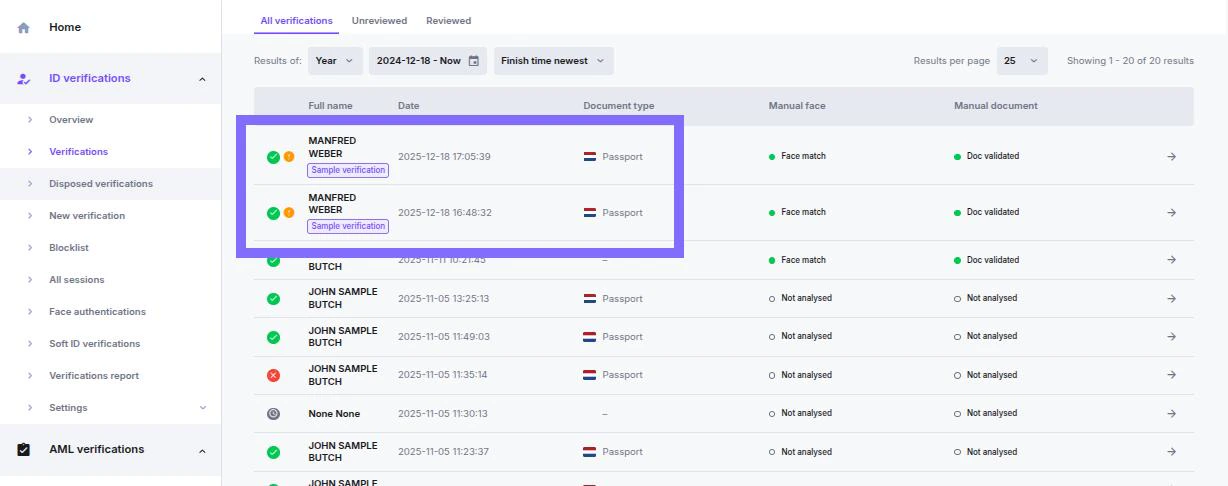
* Appears in the **Verification list**
* It is specially marked in the **verification list**
* Triggers **real webhook callbacks**
* Follows the same lifecycle as production verifications
***
## When to Use Sample Verifications
Use sample verifications to:
* Test webhook delivery and payload parsing
* Validate approval and denial flows
* Simulate automated vs. manual reviews
* Verify redirect logic and status handling
* Run QA without consuming production resources
- No real documents are requested
- The result is generated based on the selected scenario
- Available to all environment types
***
## How to Create a Sample Verification
### Open Verification Creation
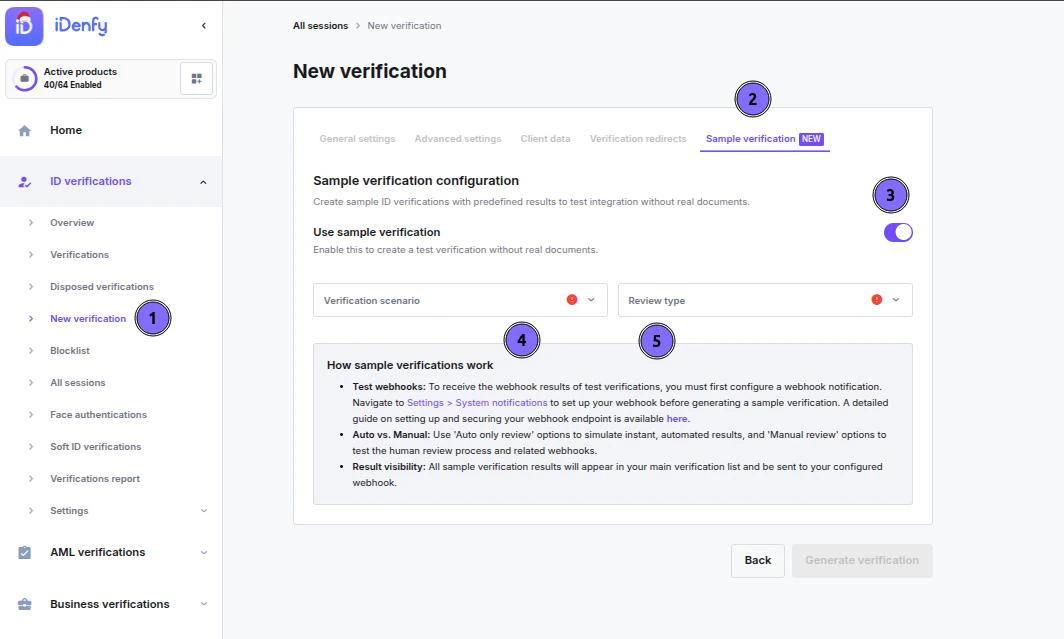
* Navigate to **Verifications → New verification**
* Select the **Sample verification** tab
### Select Verification Scenario
Select the predefined outcome for the verification:
#### Available Scenarios
* Approved
* Approved – suspected
* Denied (expired document)
* Denied (fake document)
* Denied (face mismatch)
#### Select Review Type
* Auto only review
* Manual review
 ***
### Generate Verification
The system will:
* Create a verification session
* Apply the selected result and review the path
* Send webhook callbacks to your endpoint
* Display the verification in the main list with the identifier
***
### Generate Verification
The system will:
* Create a verification session
* Apply the selected result and review the path
* Send webhook callbacks to your endpoint
* Display the verification in the main list with the identifier
 ***
## Webhook Behavior
Sample verifications trigger **the same** webhook events and behaviour as production verifications.
* Learn how to set up [**System notifications (Webhooks, emails)**](/guides/dashboard/settings/system-notifications-webhooks-emails)
* Find detailed information about webhook behaviour in [**the documentation**](/callbacks/ResultCallback)
***
## Webhook Behavior
Sample verifications trigger **the same** webhook events and behaviour as production verifications.
* Learn how to set up [**System notifications (Webhooks, emails)**](/guides/dashboard/settings/system-notifications-webhooks-emails)
* Find detailed information about webhook behaviour in [**the documentation**](/callbacks/ResultCallback)