> ## Documentation Index
> Fetch the complete documentation index at: https://documentation.idenfy.com/llms.txt
> Use this file to discover all available pages before exploring further.
# API Keys
> Generate, view, and manage your iDenfy API key and secret in the dashboard settings for secure API authentication and integration.
## API Key Settings
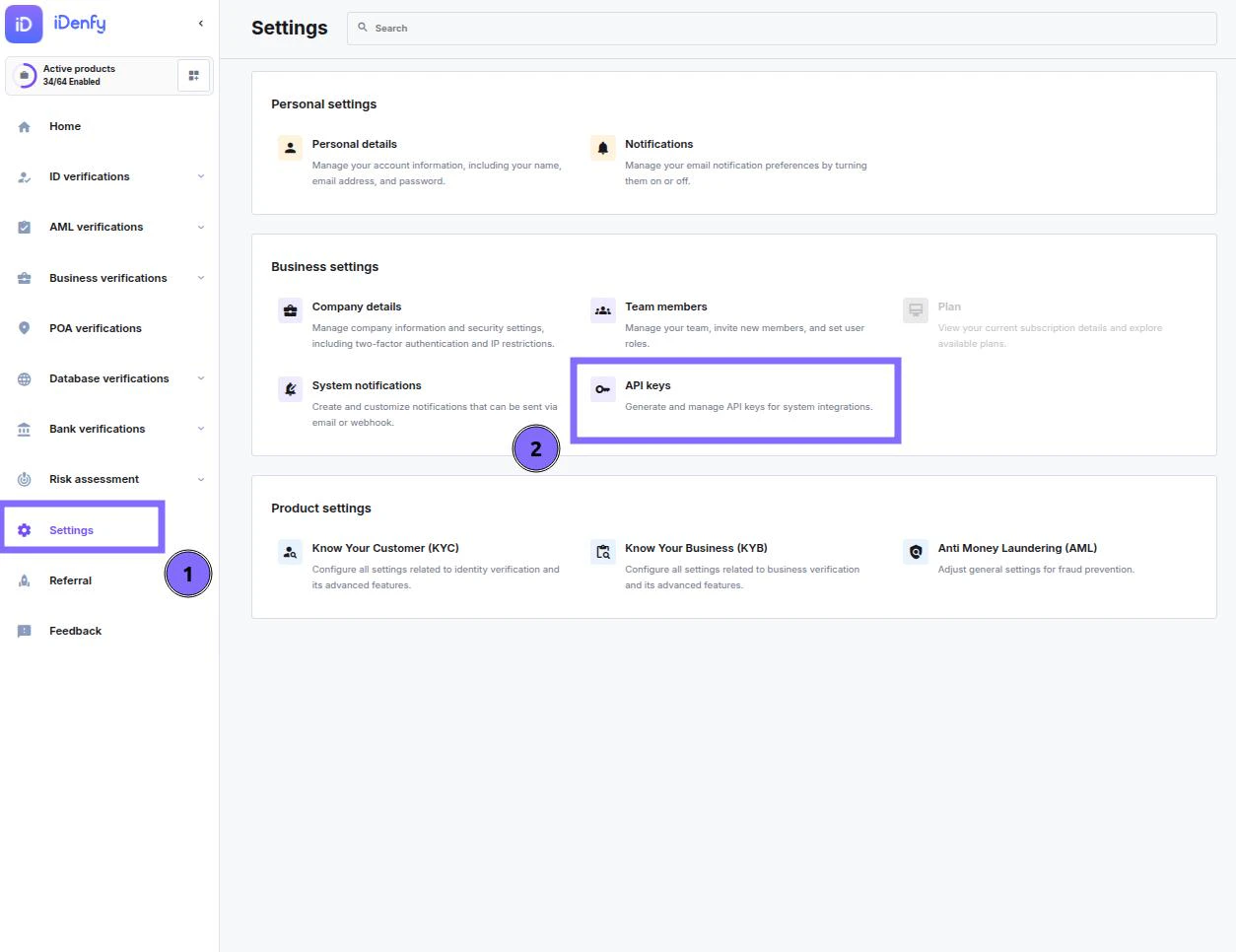
Log in to the [dashboard](https://admin.idenfy.com/settings/api-keys), go to **Settings** and select **API keys**.
 ***
## Creating Keys
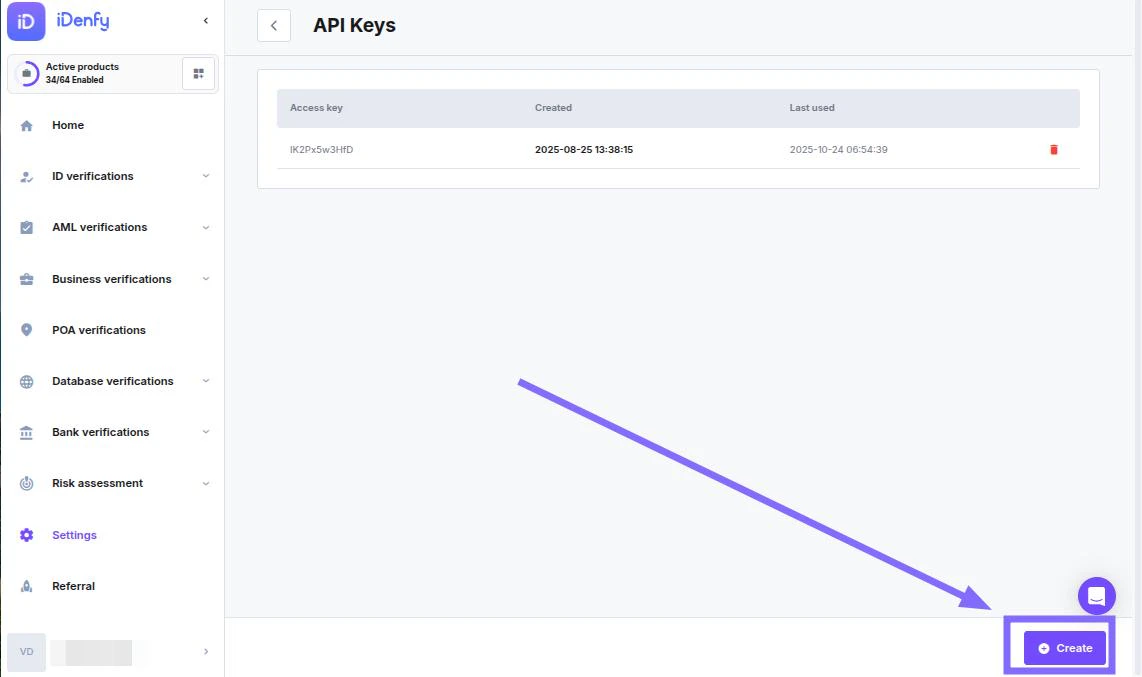
Click **Create** to generate API keys.
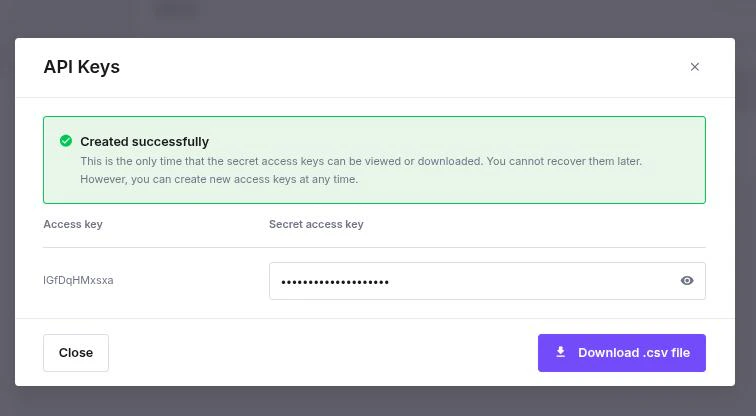
The API **secret** will **only be shown once** after creation.
You can create only **2 keys** at the same time. If you already have 2 keys, the dashboard disables the Create option.
There is no limitation on how many keys can be generated over time.
***
## Creating Keys
Click **Create** to generate API keys.
The API **secret** will **only be shown once** after creation.
You can create only **2 keys** at the same time. If you already have 2 keys, the dashboard disables the Create option.
There is no limitation on how many keys can be generated over time.
 ***
## Deleting API Key
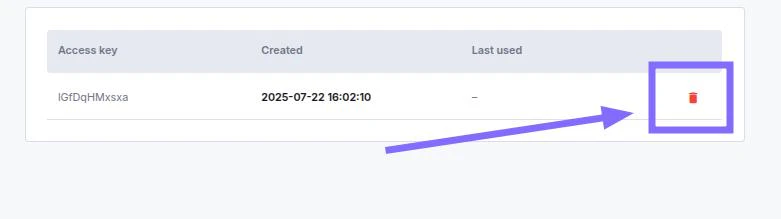
You can delete API keys by clicking the trash bin icon.
Deletion is **permanent** and **irreversible**.
***
## Deleting API Key
You can delete API keys by clicking the trash bin icon.
Deletion is **permanent** and **irreversible**.