> ## Documentation Index
> Fetch the complete documentation index at: https://documentation.idenfy.com/llms.txt
> Use this file to discover all available pages before exploring further.
# Company Details
> Manage your iDenfy dashboard company's contact addresses, two-factor authentication and IP whitelist.
Settings → Company details is where you manage your company's contact addresses and the security rules that apply to everyone who logs into your dashboard. It has two tabs: **General information** and **Company settings**.
To access this page, navigate to **Dashboard** → **Settings** → **Company details**.
Changes only apply after you click **Save**.
## General Information
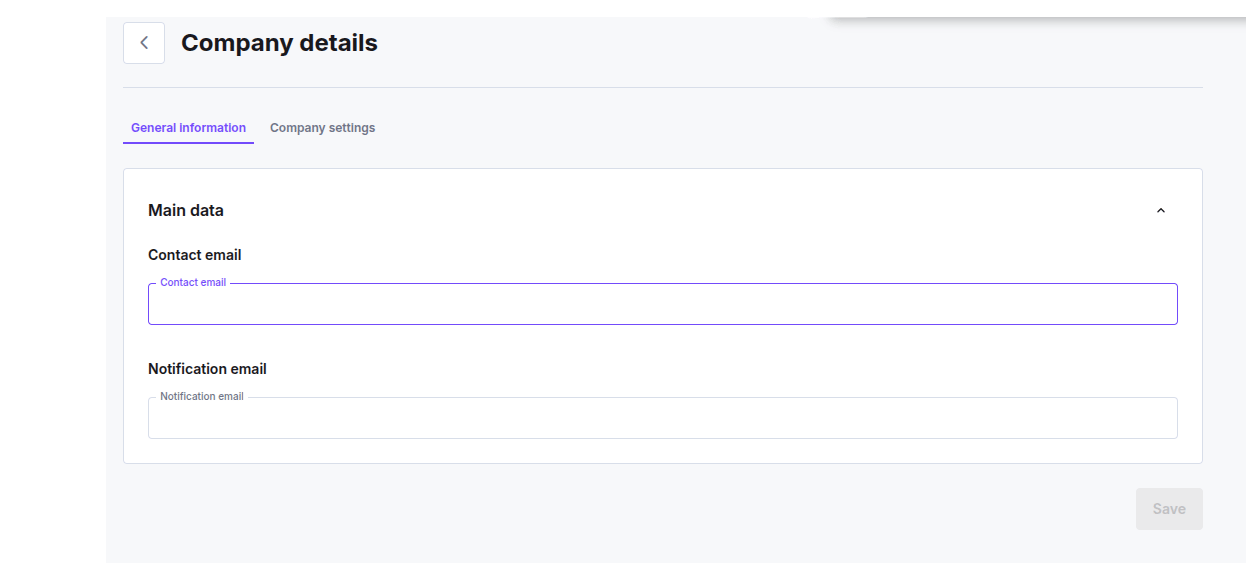 * **Contact email (required):** your primary contact address. Used for important and critical notifications, account and finance emails, and it's also the fallback address your invoices and payment receipts go to.
Changing it needs confirmation: we send a verification code to the new address, and you enter it before the change is saved.
A wrong code shows "The code you entered is incorrect. Try again or request a new verification code." Repeated attempts are rate-limited.
* **Notification email (optional):** the address that receives a result email for each approved or denied verification. Leave it empty if you don't want per-verification emails.
## Company Settings
* **Contact email (required):** your primary contact address. Used for important and critical notifications, account and finance emails, and it's also the fallback address your invoices and payment receipts go to.
Changing it needs confirmation: we send a verification code to the new address, and you enter it before the change is saved.
A wrong code shows "The code you entered is incorrect. Try again or request a new verification code." Repeated attempts are rate-limited.
* **Notification email (optional):** the address that receives a result email for each approved or denied verification. Leave it empty if you don't want per-verification emails.
## Company Settings
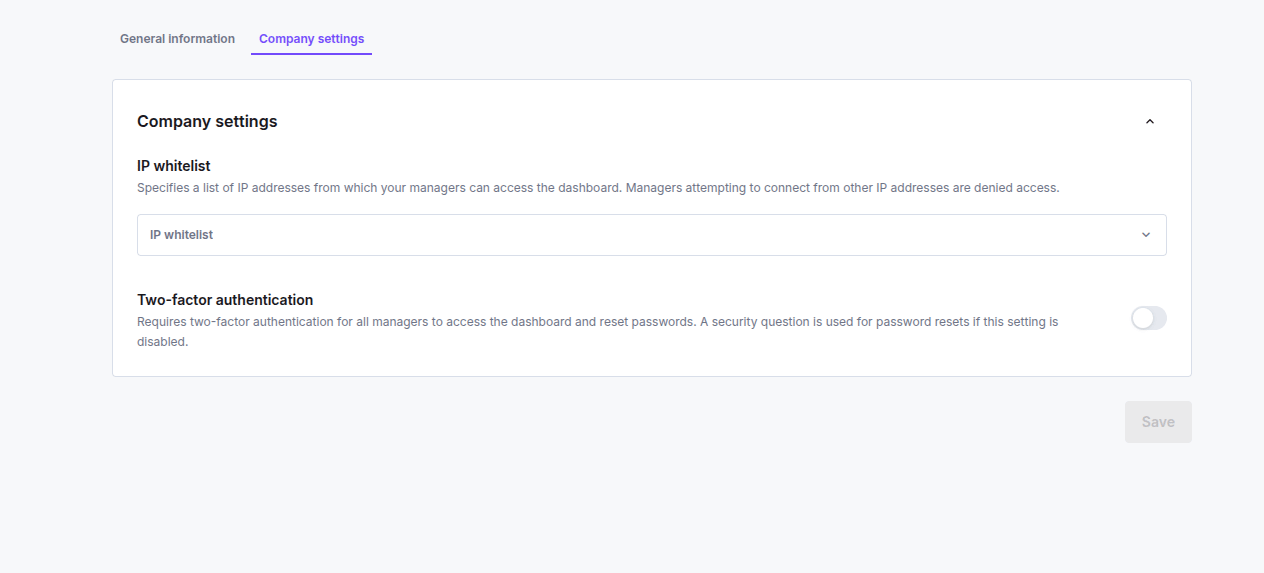 * **Two-factor authentication (on/off):** when on, every manager in your company must use two-factor authentication to log in and to reset their password. When off, password resets use a security question instead.
* **IP whitelist (list of IP addresses, optional):** restricts dashboard access to the addresses you list. The dashboard denies access to managers connecting from any other IP. Each entry must be a valid IPv4 or IPv6 address. Leave the list empty to allow any IP.
## Related topics
- [Create New Company](/guides/dashboard/kyb/create-new-company.md)
- [Company Details Tab](/guides/dashboard/kyb/company-details-tab.md)
- [Company Page](/guides/dashboard/kyb/company-page.md)
- [AI Reviewer](/guides/dashboard/settings/ai-reviewer.md)
- [Reports and Documents Tab](/guides/dashboard/general/reports-documents-tab.md)
* **Two-factor authentication (on/off):** when on, every manager in your company must use two-factor authentication to log in and to reset their password. When off, password resets use a security question instead.
* **IP whitelist (list of IP addresses, optional):** restricts dashboard access to the addresses you list. The dashboard denies access to managers connecting from any other IP. Each entry must be a valid IPv4 or IPv6 address. Leave the list empty to allow any IP.
## Related topics
- [Create New Company](/guides/dashboard/kyb/create-new-company.md)
- [Company Details Tab](/guides/dashboard/kyb/company-details-tab.md)
- [Company Page](/guides/dashboard/kyb/company-page.md)
- [AI Reviewer](/guides/dashboard/settings/ai-reviewer.md)
- [Reports and Documents Tab](/guides/dashboard/general/reports-documents-tab.md)