> ## Documentation Index
> Fetch the complete documentation index at: https://documentation.idenfy.com/llms.txt
> Use this file to discover all available pages before exploring further.
# Zapier Integration
> Set up the iDenfy Zapier integration to automate identity verification workflows with step-by-step connection and Shopify example.
This guide explains how to connect and set up Zapier with iDenfy. Below you will find step-by-step instructions on how to create a Zapier connection with iDenfy, including an example of a Shopify-iDenfy integration (though you can connect any Zapier-supported application with iDenfy).
## Zapier Connection
### Register and Log in to Zapier
Complete the registration in the [Zapier](https://zapier.com/) platform and start a new project. Related topics you might want to explore:
* [Automations/zaps basics](https://zapier.com/resources/guides/quick-start/automation-basics)
* [Create your first Zap](https://zapier.com/resources/guides/quick-start/create-zap)
### Create a New Automation/Zap
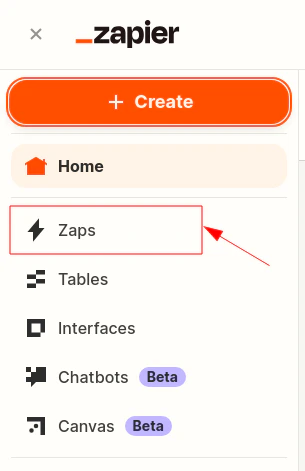
Once logged in, navigate to the top-left and click **+ Create**, then **Zaps**.
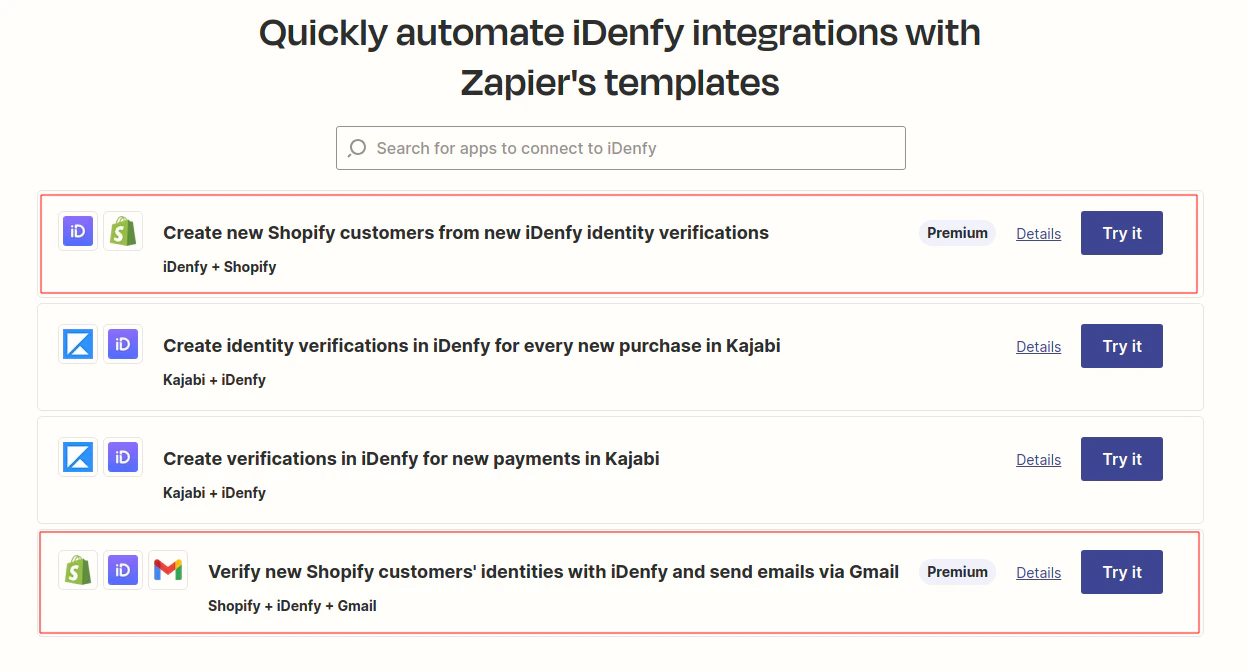
 Alternatively, you can explore and use the pre-made [Zapier templates](https://zapier.com/apps/idenfy/integrations), such as iDenfy-Shopify.
 ### Authorize the Connection to iDenfy
When a new iDenfy step is created, after completing the **App & event** section, proceed to the **Account** tab and click **Log in**.
### Authorize the Connection to iDenfy
When a new iDenfy step is created, after completing the **App & event** section, proceed to the **Account** tab and click **Log in**.
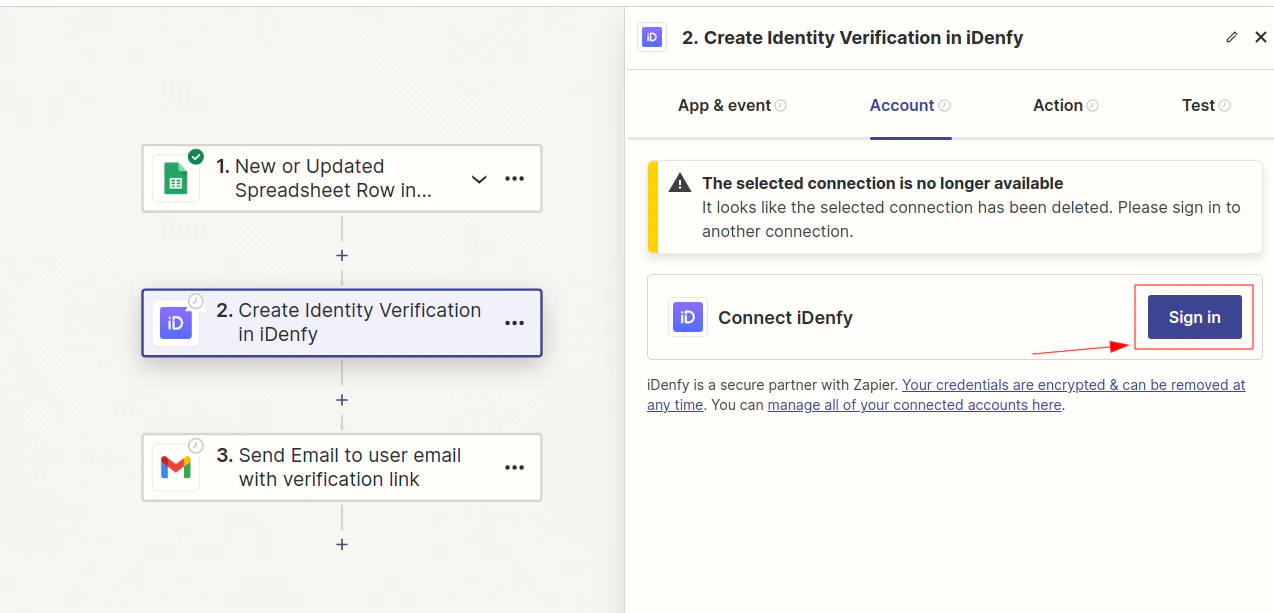 The action number and event selected on the App & event tab do not matter for this step -- it is intended to explain how to authorize Zapier to connect to iDenfy.
To complete authorization successfully, provide:
* **API key** as **Username**
* **API secret** as **Password**
You can manage your environment API key(s) and secret(s) on iDenfy's side by navigating to [Settings > API keys](/guides/dashboard/settings/api-keys).
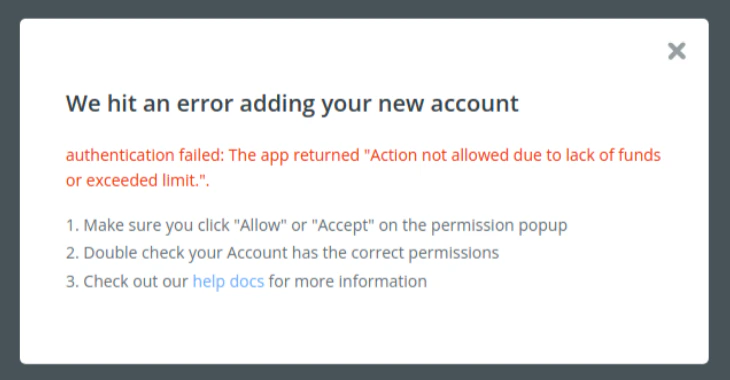
If you receive an authorization error, contact technical support via the [dashboard](https://admin.idenfy.com/auth/login) using your account, or check whether a standard KYC session can be created successfully -- either via the [dashboard](/kyc/generate-token) or [API](/guides/dashboard/kyc/id-verification). This is required for successful authorization.
The action number and event selected on the App & event tab do not matter for this step -- it is intended to explain how to authorize Zapier to connect to iDenfy.
To complete authorization successfully, provide:
* **API key** as **Username**
* **API secret** as **Password**
You can manage your environment API key(s) and secret(s) on iDenfy's side by navigating to [Settings > API keys](/guides/dashboard/settings/api-keys).
If you receive an authorization error, contact technical support via the [dashboard](https://admin.idenfy.com/auth/login) using your account, or check whether a standard KYC session can be created successfully -- either via the [dashboard](/kyc/generate-token) or [API](/guides/dashboard/kyc/id-verification). This is required for successful authorization.
 ### Complete the Test
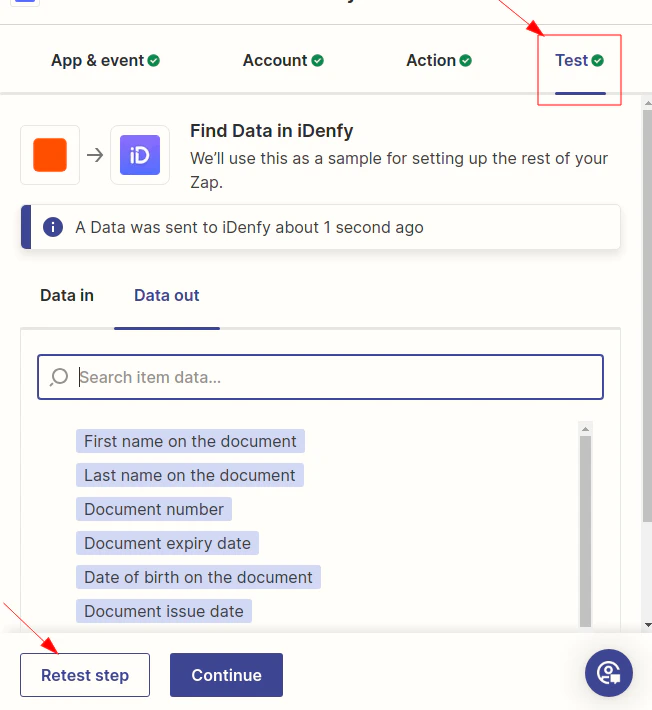
Complete tests for each individual action, add/set other actions if needed, and publish the connection/zap.
### Complete the Test
Complete tests for each individual action, add/set other actions if needed, and publish the connection/zap.
 ## Identity Verification in Shopify with Zapier
Integration examples with pre-made zaps/connections are provided in the [Zapier templates](https://zapier.com/apps/idenfy/integrations).
Read more about [how to integrate identity verification into your Shopify store](https://idenfy.com/blog/identity-verification-in-shopify-with-zapier/) on our blog.
## Identity Verification in Shopify with Zapier
Integration examples with pre-made zaps/connections are provided in the [Zapier templates](https://zapier.com/apps/idenfy/integrations).
Read more about [how to integrate identity verification into your Shopify store](https://idenfy.com/blog/identity-verification-in-shopify-with-zapier/) on our blog.