> ## Documentation Index
> Fetch the complete documentation index at: https://documentation.idenfy.com/llms.txt
> Use this file to discover all available pages before exploring further.
# Request Update
> Send update requests to end users for additional documents, risk assessment, or questionnaire completion via the iDenfy KYC API endpoint.
Use this endpoint to generate a link that allows the end user to update information related to their verification, such as:
* Uploading a **POA** document
* Performing a **Risk Assessment**
* Answering a **Questionnaire**
If you have already requested updated information, this option will remain unavailable until the verification is **re-approved**.
Attempting to generate a **second** update request while one is pending will result in an error.
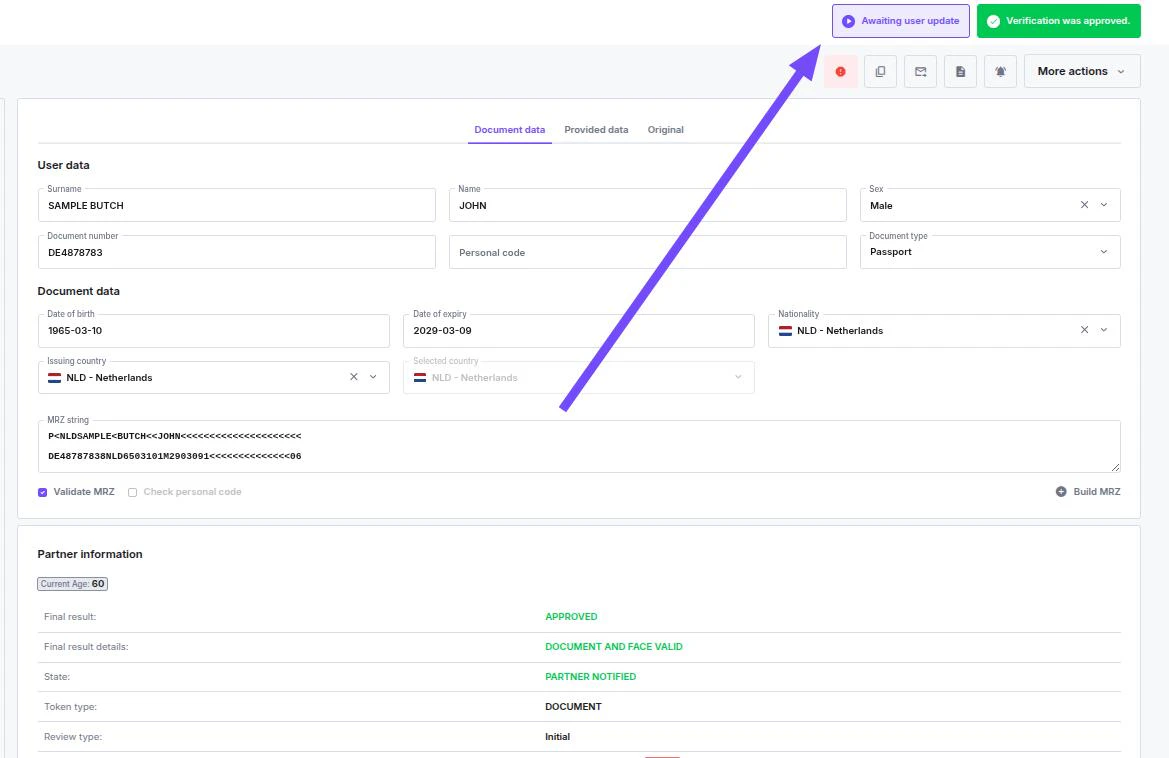
To check if a **Request Update** is already in progress, look for the status indicator on the verification dashboard.
 ***
## API Reference
To generate an update request link, use the **Request Information Update** endpoint in the [KYC API Reference](/api-reference/overview).
```
POST https://ivs.idenfy.com/api/v2/request-update
Authorization: Basic {API_KEY}:{API_SECRET}
Content-Type: application/json
```
***
## API Reference
To generate an update request link, use the **Request Information Update** endpoint in the [KYC API Reference](/api-reference/overview).
```
POST https://ivs.idenfy.com/api/v2/request-update
Authorization: Basic {API_KEY}:{API_SECRET}
Content-Type: application/json
```