

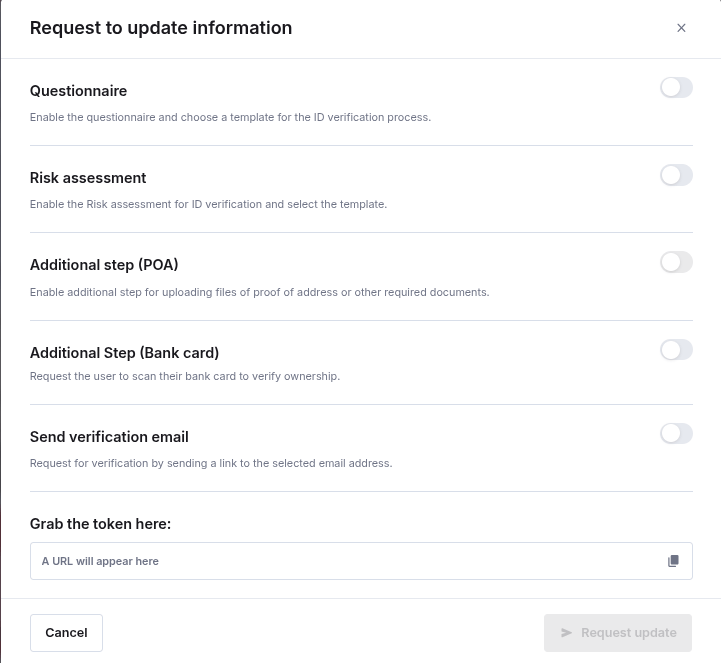
- Questionnaire — enable the questionnaire and choose a template for the ID verification process.
- Risk assessment — enable the risk assessment for ID verification and select the template.
- Additional step (POA) — enable an additional step for uploading files of proof of address or other required documents.
- Additional step (Bank card) — request the user to scan their bank card to verify ownership. Set
bankCardVerificationtotrue, and optionallybankCardExpectedLastFour(exactly four digits) to also compare the card number. - Send verification email — request verification by sending a link to the selected email address.
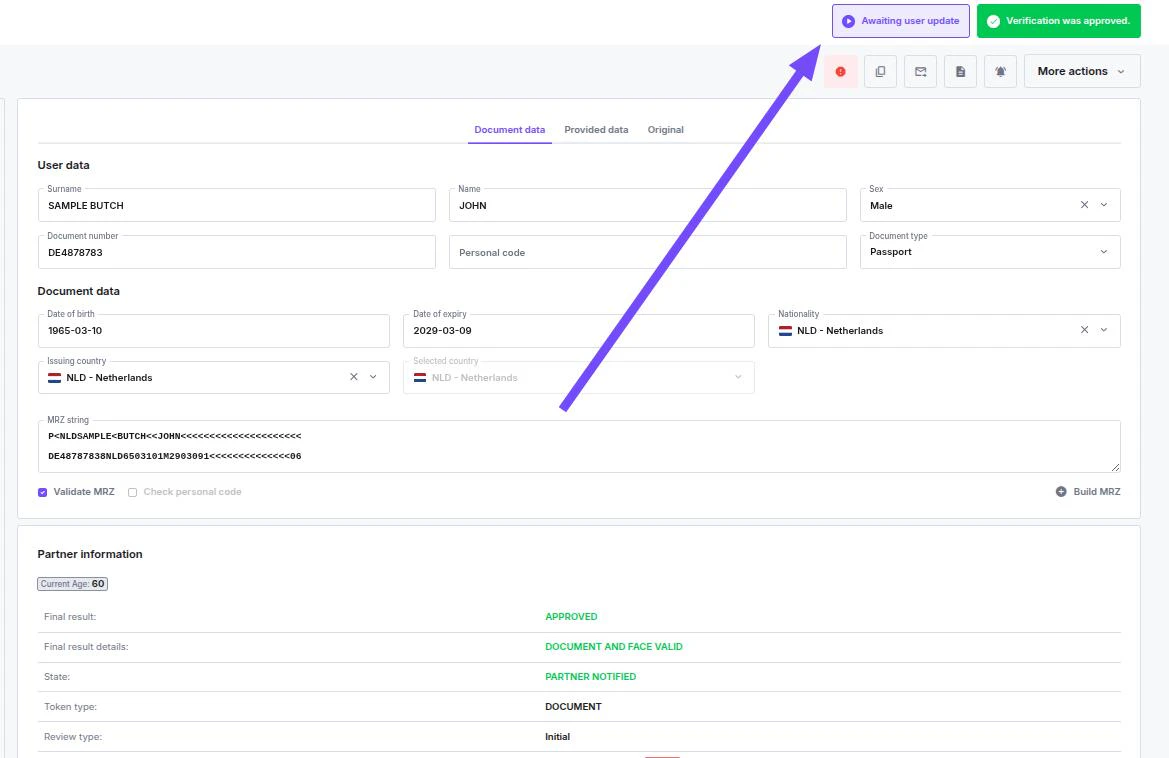
If you have already requested updated information, this option will remain unavailable until the verification is re-approved.Attempting to generate a second update request while one is pending will result in an error.To check if a Request Update is already in progress, look for the status indicator on the verification dashboard.
API Reference
To generate an update request link, use the Request Information Update endpoint in the KYC API Reference.A card check re-requested this way reports back on the identity verification webhook. To run a card check on its own, with no verification behind it, use Create a Bank Card Session instead.