

Overview
Magic Link lets you send a verification URL directly to your user via email or SMS. The user clicks the link, completes verification on iDenfy’s hosted page, and you receive results via webhook. No coding required.Reusable Magic Links (Dashboard)
Reusable Magic Links are specialized URLs that allow users to start identity verification immediately without needing to log in or create an account. They act as shareable “entry passes” that redirect the user directly into your defined verification flow.Key Features & Usage Limits
Key Features & Usage Limits
Usage Logic & Limitations
- Clicks count as usage: Every click reduces the link’s limit, even if the user quits early. You are only billed for completed verifications.
- No renewals: Links cannot be extended or refreshed. Once a link expires or hits its limit, you must create a new one.
The User Experience
The User Experience
When a user clicks the Magic Link, the system performs a background check to ensure the link is active and your account has sufficient credits.
- Validation: If valid, a new verification session is created automatically.
- Redirection: The user is taken directly to the verification flow.
- Completion: The user uploads documents/selfies without entering passwords.
How to Create a Reusable Magic Link
1
Navigate to Settings
Log in to your dashboard. From the left-hand menu, go to ID Verification → Configuration → Magic Link.
2
Initialize Creation
Click Create New Magic Link.
3
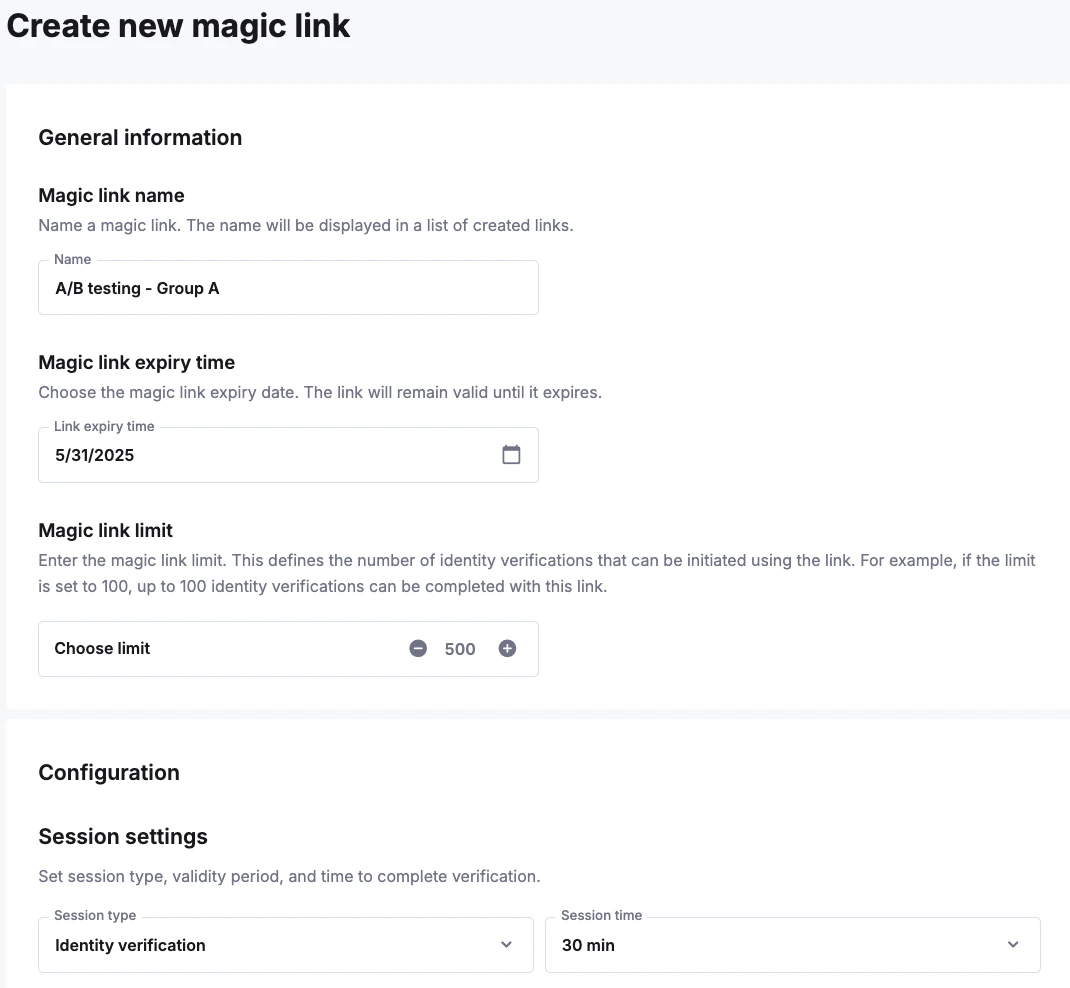
Configure Parameters
Detailed Configuration Options
Detailed Configuration Options
- Name: Internal identifier to help you recognize this link.
- Verification Flow: Select which steps the user must complete (e.g., Document Verification, Selfie, or both).
- Usage Limit: Select Single-use, Multi-use, or Unlimited.
- Expiration: (Optional) Set a date and time for the link to stop working.
- Language: Pre-select the interface language for the user.
4
Generate and Share
Click Save to create the link. Copy the URL and share it via email, SMS, or embed it on your website.