Documentation Index

Fetch the complete documentation index at: https://documentation.idenfy.com/llms.txt

Use this file to discover all available pages before exploring further.

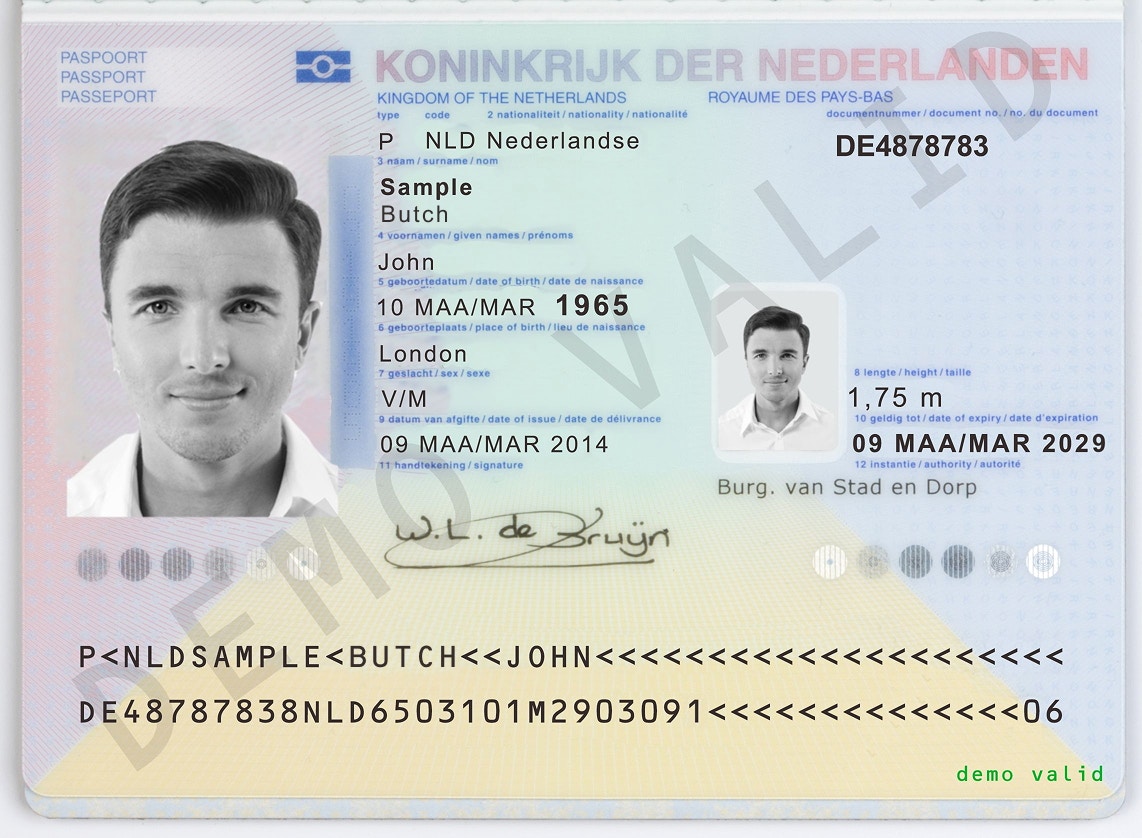
iDenfy provides dummy documents for easier testing and integration.
Some security features are disabled for the documents listed below. Use them only in testing and development environments.If a verification is denied or suspected due to Doc spoof detected, passive liveness should be turned off to receive successful results.

Download All Samples

Download all sample images (ZIP)

Contains all sample passport and face images for every test scenario below.

Flow with APPROVED Auto Results

Netherlands passport (valid)Face (valid)
Use these resources to complete a normal verification flow that results in a successful automatic verification.Use this JSON body in your session creation request:
Token generation request body:
{
  "clientId": "00000000",
  "firstName": "John",
  "lastName": "Sample Butch"
}
Expected response:
{
  "overall": "APPROVED",
  "suspicionReasons": [],
  "mismatchTags": [],
  "fraudTags": [],
  "autoDocument": "DOC_VALIDATED",
  "autoFace": "FACE_MATCH"
}

Flow with DENIEDFACE_MISMATCH Results

Netherlands passport (valid)Face (mismatch)
Expected response:
{
  "overall": "DENIED",
  "suspicionReasons": [],
  "mismatchTags": [],
  "fraudTags": [],
  "autoDocument": "DOC_VALIDATED",
  "autoFace": "FACE_MISMATCH"
}

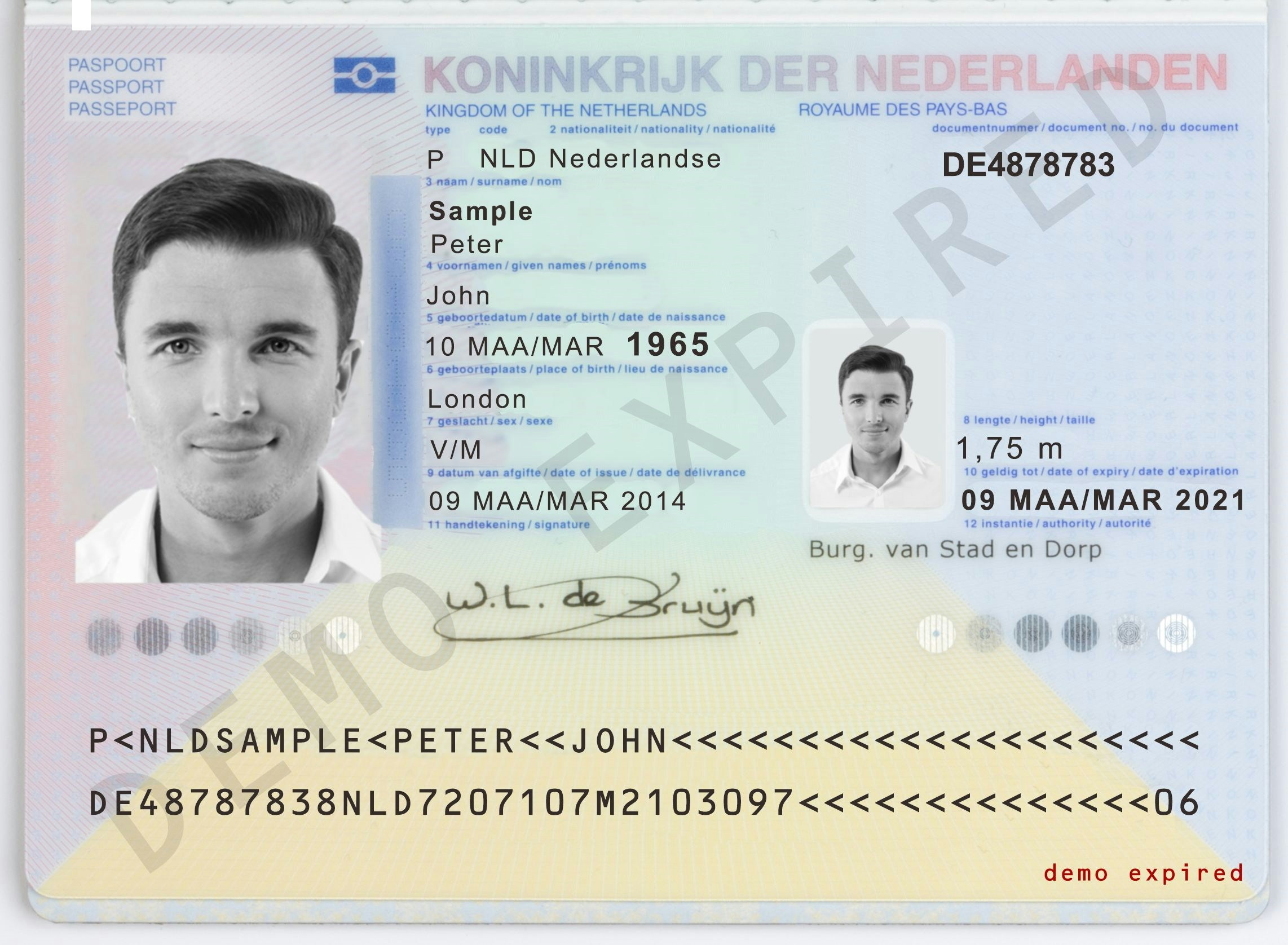
Flow with DENIEDDOC_EXPIRED Results

Netherlands passport (expired)Face (valid)
Expected response:
{
  "overall": "DENIED",
  "suspicionReasons": [],
  "mismatchTags": [],
  "fraudTags": [],
  "autoDocument": "DOC_EXPIRED",
  "autoFace": "FACE_MATCH"
}

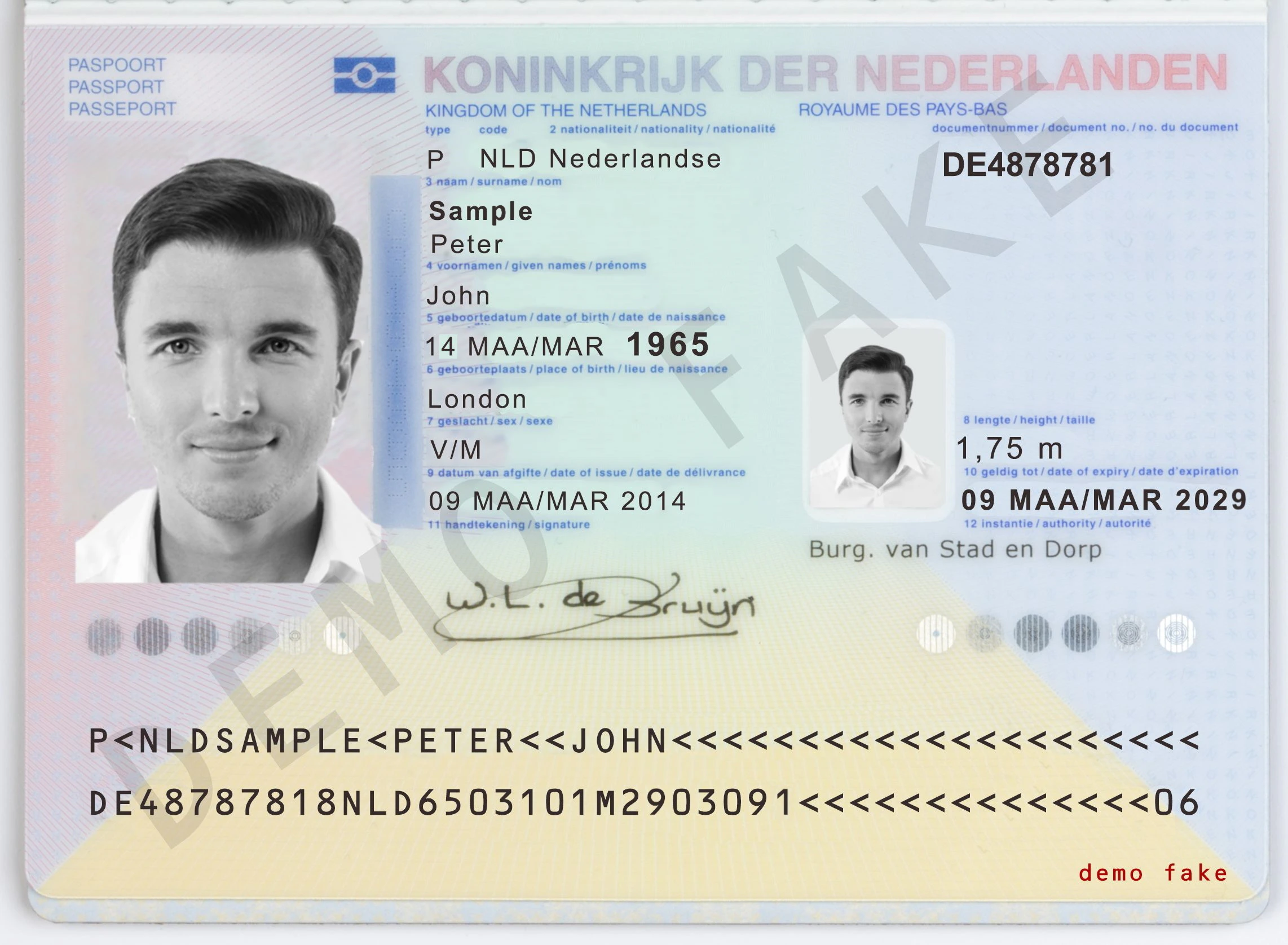
Flow with DENIEDDOC_FAKE Results

Netherlands passport (fake)Face (valid)
Expected response:
{
  "overall": "DENIED",
  "suspicionReasons": [],
  "mismatchTags": [],
  "fraudTags": [],
  "autoDocument": "DOC_FAKE",
  "autoFace": "FACE_MATCH"
}

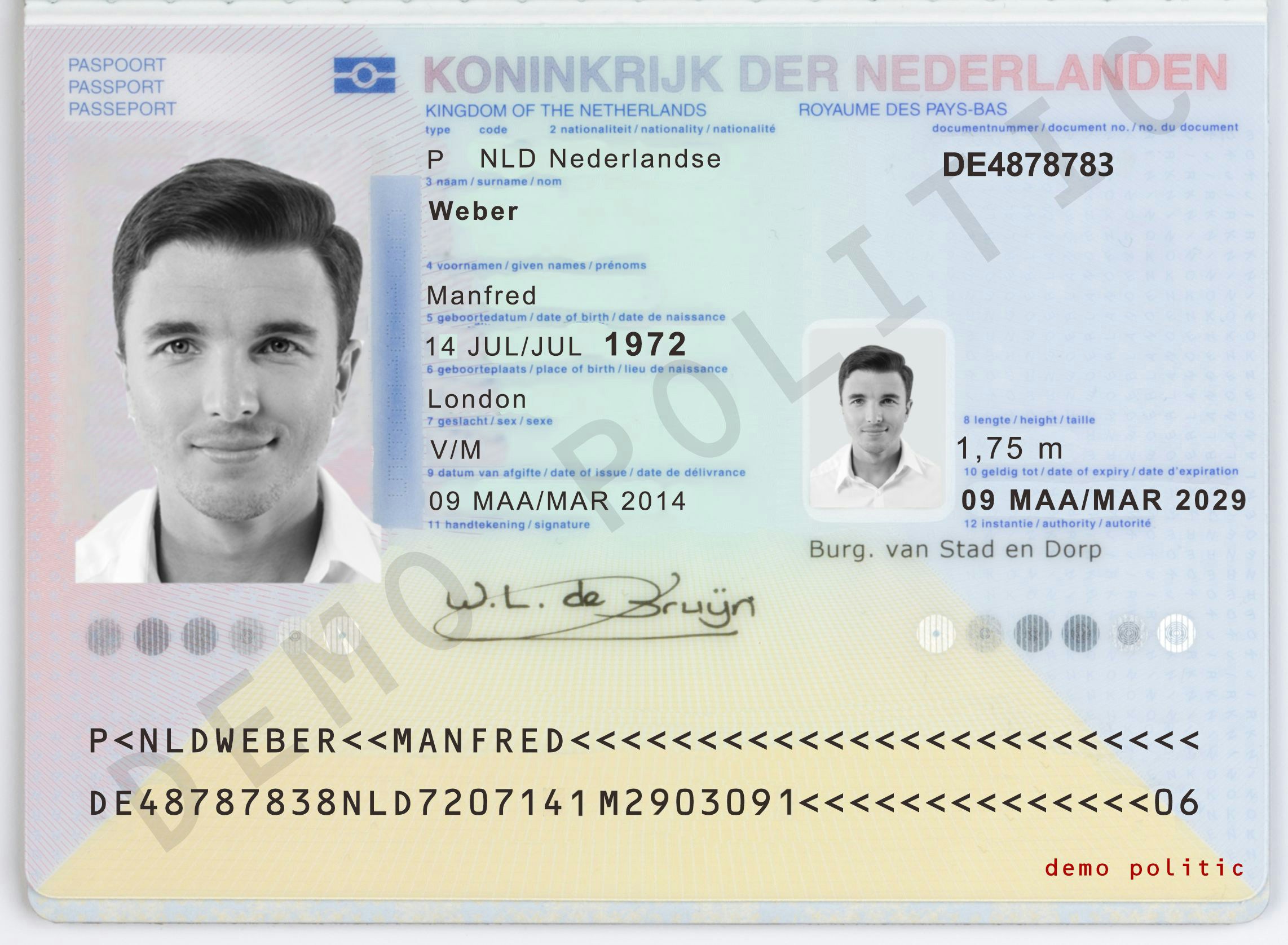
Flow with AML SUSPECTED Results

If the AML setting for returning same-nationality results is enabled, this document will not be suspected. Contact support via the dashboard to check or change this setting.
Netherlands passport (politician)Face (valid)
Use this JSON body in your session creation request:
Token generation request body:
{
  "clientId": "00000000",
  "firstName": "Manfred",
  "lastName": "Weber"
}
Expected response:The document and face are valid, but the person matches an AML database entry, so the overall status is SUSPECTED.
{
  "overall": "SUSPECTED",
  "suspicionReasons": ["AML_SUSPECTION"],
  "mismatchTags": [],
  "fraudTags": ["AML_SUSPECTION"],
  "autoDocument": "DOC_VALIDATED",
  "autoFace": "FACE_MATCH"
}

Test these documents only in development or testing environments. Images should be uploaded using the Direct API processing endpoint or during a verification session in the iDenfy UI. Image upload permissions are required — contact tech support via the dashboard to enable upload functionality for your testing environment.