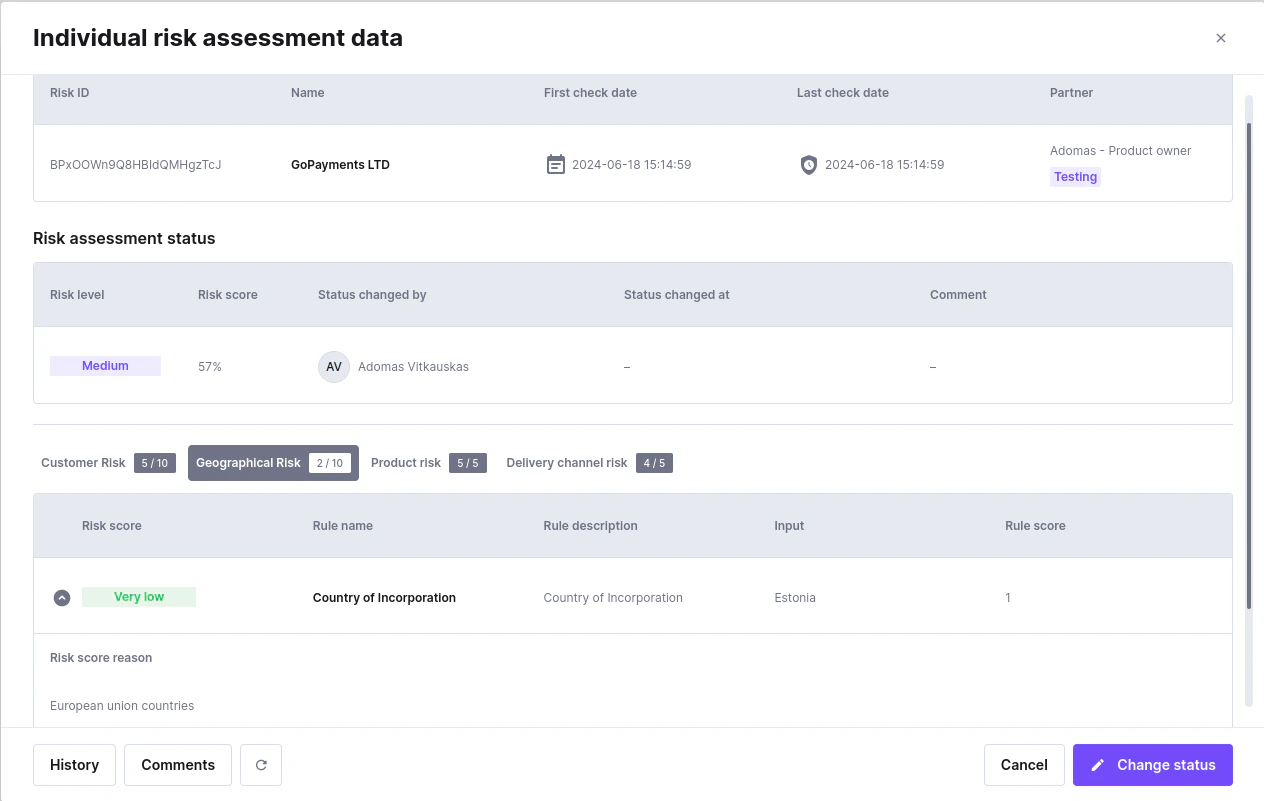
- Checked Data: The company name and the date of the check.
- Risk Assessment Status:
- Risk Level: The calculated risk level (very low, low, medium, high, or very high).
- Risk Score: The risk percentage out of 100%.
- Status Changed By: The person who initiated the risk assessment calculation.
- Status Changed At: If a manager forcibly changed the risk level, this field will show when it was done and by whom.
- Comment: If a manager changes the status, they are required to write a comment explaining why the level was changed manually.
- Detailed risk results:
- Each category and how many risk points the client has in each category.
- Each rule risk score, rule name, input, comment.
- History: Shows all previous checks for that company with detailed results.
- Comments: Read or leave comments about a particular risk.
- Download PDF: Export the full risk assessment result — including metadata, risk status, category breakdown, rule scores, and the most recent comment — as a PDF file.
- Recheck: Click this button to recheck the risk, change answers, etc.
- Change Status: You can manually change the applicant’s risk level. You must leave a comment explaining the decision.