

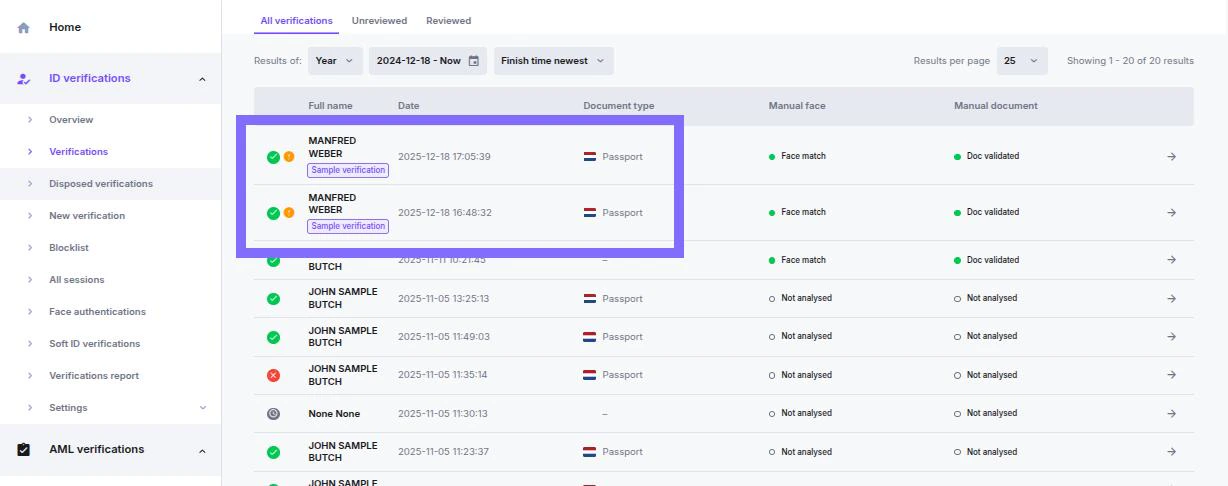
- Appears in the Verification list
- It is specially marked in the verification list
- Triggers real webhook callbacks
- Follows the same lifecycle as production verifications
When to Use Sample Verifications
Use sample verifications to:- Test webhook delivery and payload parsing
- Validate approval and denial flows
- Simulate automated vs. manual reviews
- Verify redirect logic and status handling
- Run QA without consuming production resources
How to Create a Sample Verification
Open Verification Creation
- Navigate to Verifications → New verification
- Select the Sample verification tab
Select Verification Scenario
Select the predefined outcome for the verification:Available Scenarios
- Approved
- Approved – suspected
- Denied (expired document)
- Denied (fake document)
- Denied (face mismatch)
Select Review Type
- Auto only review
- Manual review
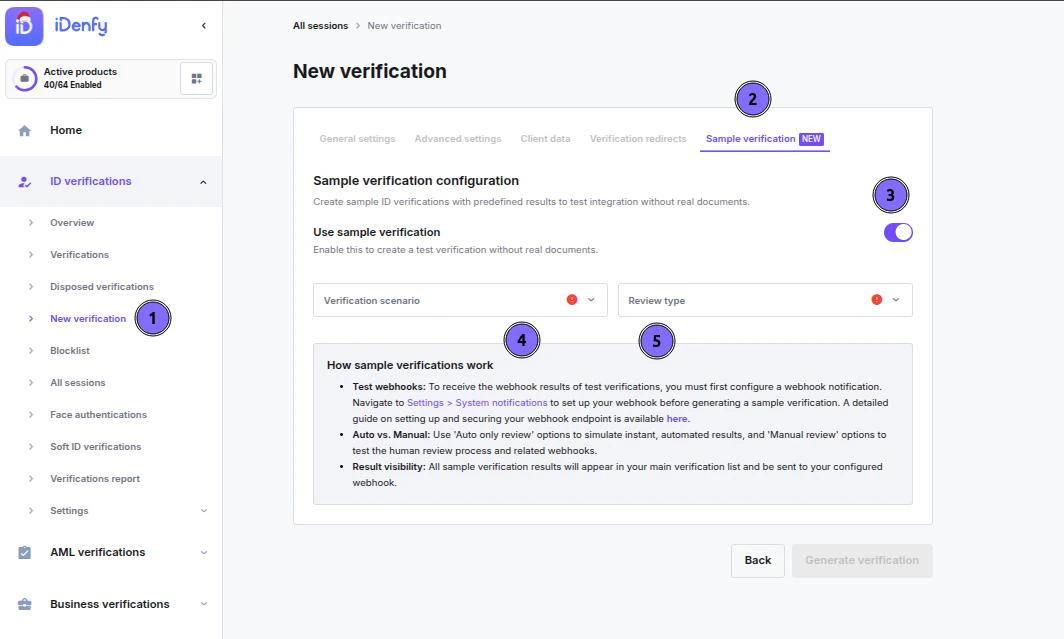
Generate Verification
The system will:- Create a verification session
- Apply the selected result and review the path
- Send webhook callbacks to your endpoint
- Display the verification in the main list with the identifier
Webhook Behavior
Sample verifications trigger the same webhook events and behavior as production verifications.- Learn how to set up System notifications (Webhooks, emails)
- Find detailed information about webhook behavior in the documentation