

1
Create a New Template
Click Create new, then enter a unique name for the template. This name is only used to identify the template in later steps — it is not shown to recipients.
2
Select the Email Type
Select which process the template applies to: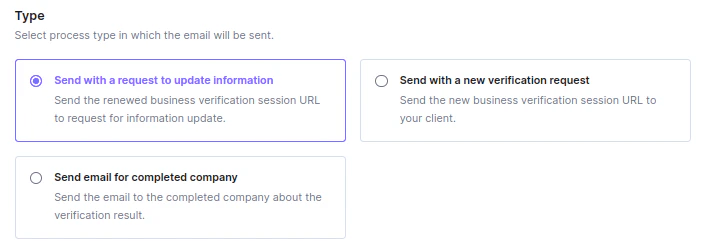
- Send with a new verification request — sends the new business verification session URL to your client.
- Send with a request to update information — sends the renewed business verification session URL to request an information update.
- Send email for completed company — sends the verification result to a company whose verification has completed.
3
Enter the Email Subject
Type the subject line that will appear in the recipient’s inbox.
4
Write the Email Content
Type the body of the email, then click Add verification link to insert the placeholder for the verification session URL.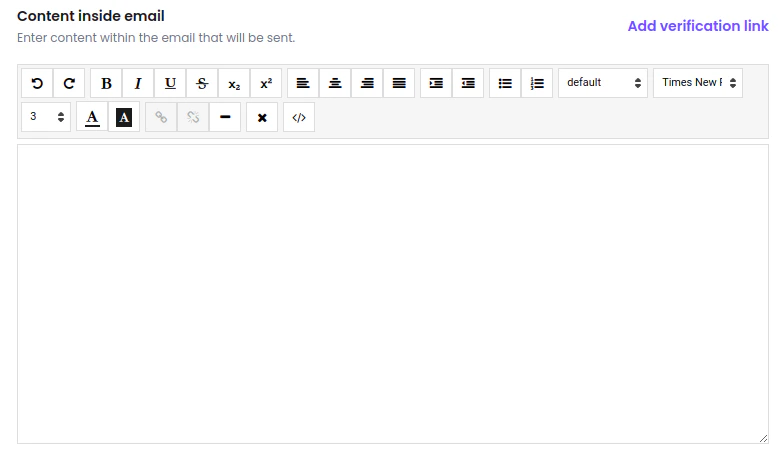
Without the verification link placeholder, the recipient has no way to reach the verification session — always include it before saving.
5
Save the Template
Click Save to make the template available for selection when sending verification or update requests.