
Documentation Index

Fetch the complete documentation index at: https://documentation.idenfy.com/llms.txt

Use this file to discover all available pages before exploring further.

When a company is approved, you can assign an expiration period β€” a number of months after which the company’s KYB is considered stale and re-verification is required. Automated reminder emails are sent to the company one month before and on the expiration date.

Approving a Company

To approve a company and set its expiration:
  1. Go to Business Verifications β†’ Verifications.
  2. Open the company you want to review.
  3. Click the Approve button in the bottom right corner.
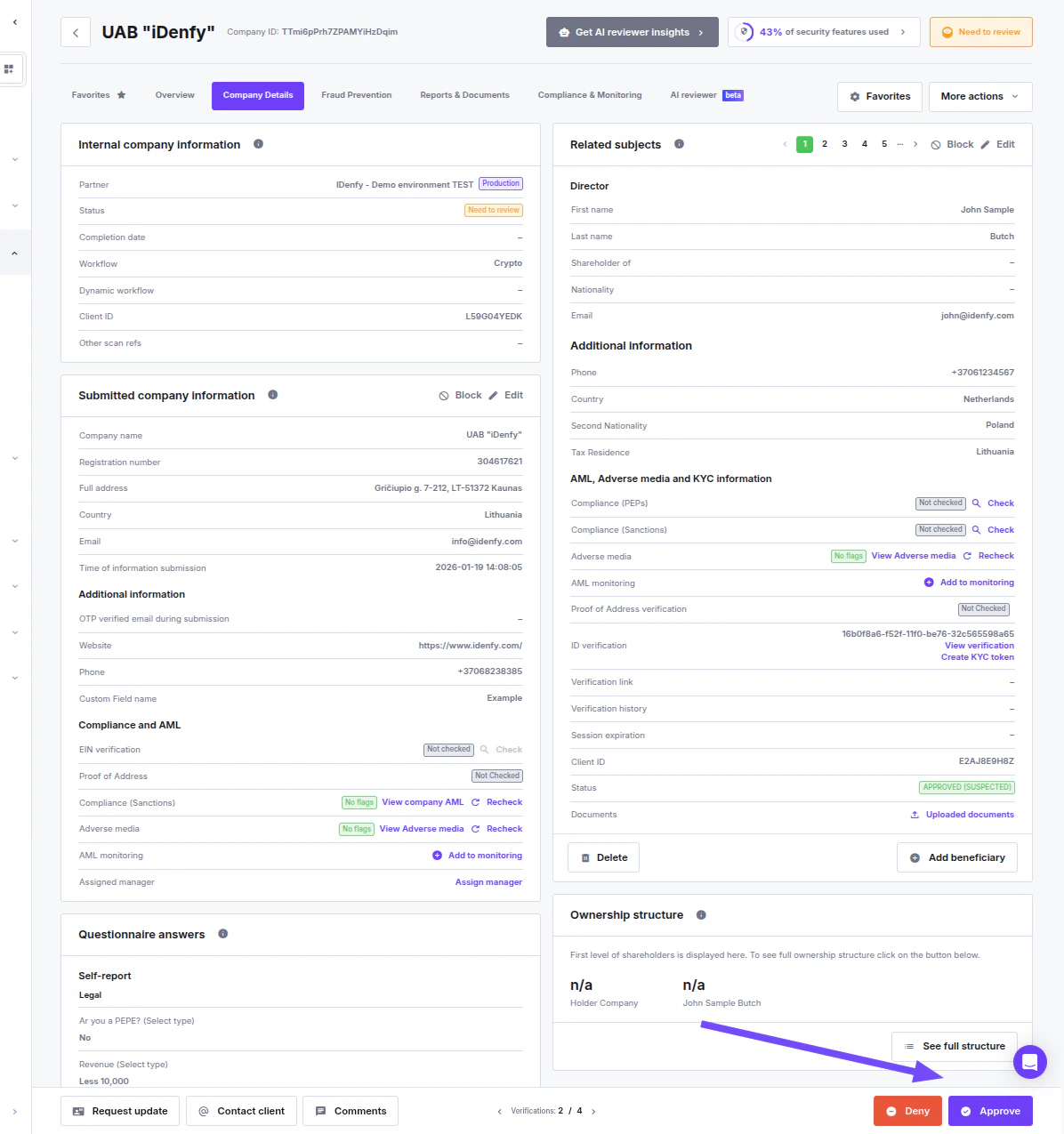
Company details page with Approve button highlighted

Approve Company Modal

Clicking Approve opens a confirmation modal with two optional sections. Approve company modal showing Send confirmation email and Company expiration check toggles
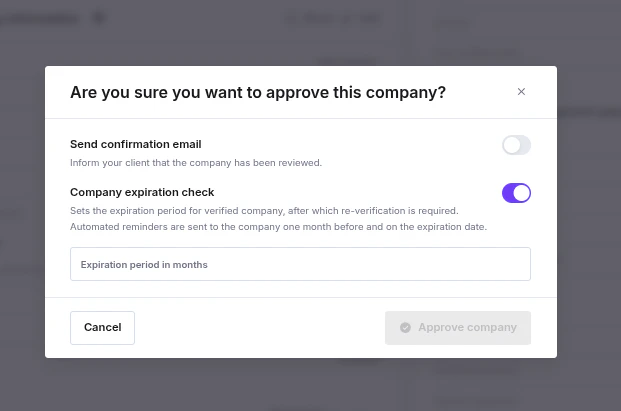
Send Confirmation Email

When enabled, an email is sent to the client informing them that their company has been reviewed. Toggling this on expands the email form:
FieldNotes
Email addressRequired if the toggle is on
Select email templateOptional pre-made text
Email subjectRequired if no template is selected
Add recipients to CCOptional
Message to clientRequired β€” enter clear, informative content

Company Expiration Check

When enabled, sets a re-verification deadline for this specific company. Expanding the toggle shows a single field:
FieldNotes
Expiration period in monthsAccepts values from 2 to 60. Leave the toggle off or leave the field empty to disable expiration for this company.
If the global default is configured in Settings β†’ Configuration (KYB), it is pre-filled here automatically. You can override it, or disable expiration entirely for this company by turning the toggle off.
Disabling the toggle in this modal only affects this company β€” it does not change the global default.

How the Expiration Value Is Determined

The expiration period comes from one of two sources; the per-company locked value always takes precedence.
SourceDescription
Partner defaultSet in Settings β†’ Configuration (KYB). A nullable value (2–60 months or empty = disabled). Used as a fallback when no per-company value has been locked yet.
Company locked valueSet at approval time and never overwritten by future changes to the partner default. NULL = no expiration for this company.
At approval time, the value is locked as follows:
  • If the company was approved before (a locked value already exists) β†’ the existing value is kept, regardless of what is entered in the modal.
  • If no locked value exists and no override is provided in the modal β†’ the partner default is copied.
  • If no locked value exists and an override is provided β†’ the override is used. This requires the caller to have UPDATE_PARTNER_CUSTOMISATION_CONFIG permission and the partner to have check_company_expiration_edit = True.
Once locked, the expiration period is fixed to the company. Changes to the global default in Settings do not affect already-approved companies. Validation: Both the partner default and the per-company override accept 2–60 months or NULL (disabled).