

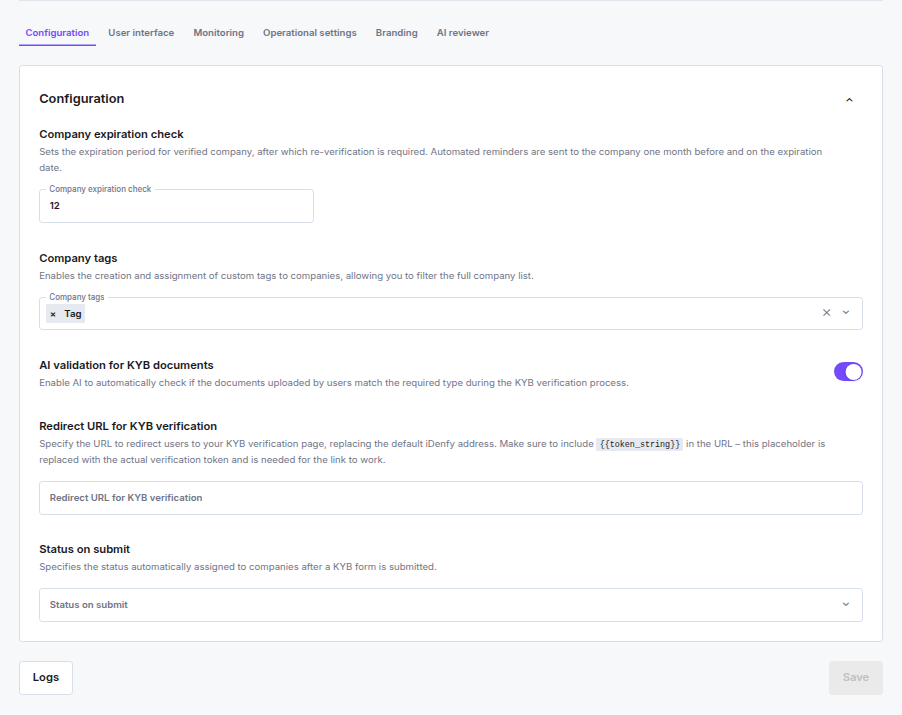
Company Expiration Check
When enabled, approved companies expire after a set number of months and must re-verify. Set the expiration period between 2 and 60 months. Automated reminders are sent to the company one month before and on the expiration date. You can override the period per company in the Approve company modal — the global value is pre-filled but you can adjust it per case. Disabling the toggle in that modal only affects the individual company; the global setting is not changed. Leaving this field empty or keeping the toggle off disables expiration entirely — companies will not expire and no reminder emails are sent. See Company Expiration for how the per-company value is set and locked at approval time.Partners who previously had this setting enabled with a fixed 12-month period were automatically migrated.
Company Tags
Custom labels you can create and attach to companies for filtering and organization in the dashboard.- Up to 100 tags, each up to 64 characters
- Tags can also be passed via API when generating a KYB session
AI Validation for KYB Documents
AI automatically checks whether documents uploaded during KYB match the required document type for each step. For example, it flags a selfie uploaded where a company registration document was expected.Redirect URL for KYB Verification
The URL sent to businesses to access the KYB verification form, replacing the default iDenfy-hosted page.- When not set, a URL is auto-generated per session
- When set, include
{{token_string}}in the URL — this placeholder is replaced with the actual verification token at runtime
https://example.com/verify?token={{token_string}}
The value must be a valid URL.