Proof of address documents are processed automatically in every upload scenario and never enter manual review. If the document cannot be read, the system retries and then raises a mismatch tag on the verification instead of creating a review task.
How to Verify Proof of Address?
- Go to POA Verifications menu item.
- Click Verify POA on the top right of the page.
- Provide the address and full name of the proof of address owner if you want the system to compare (optional).
- Upload proof of address document.
What Information Does the System Extract from the Uploaded Document?
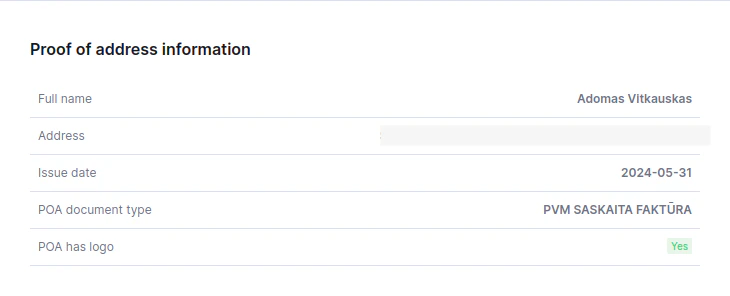
- Full name of the POA owner.
- Full address that belongs to POA owner.
- Issue date of the POA.
- Type of POA (e.g. Bank statement, electricity bill, etc).
- Provides information on whether the POA has a logo.
What Information Does the System Compare and Provide?
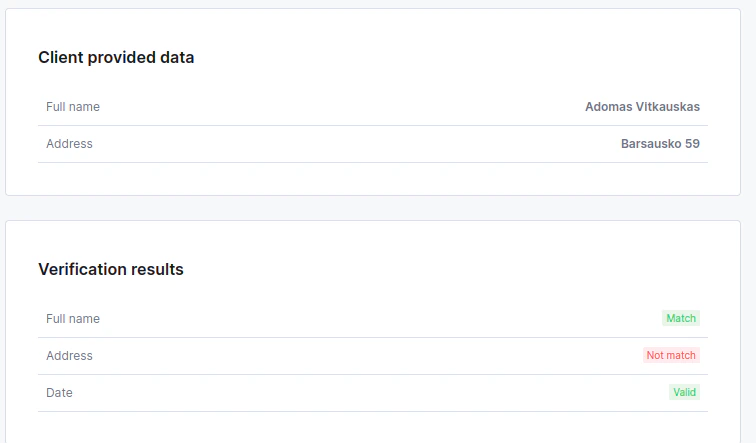
- If the full name was provided on the request, the system compares it against the name from the document.
- If the address was provided in the request, the system compares it against the address from the document.
- The system provides if the POA date is valid or not. The valid POA must be issued no later than 3 months.