

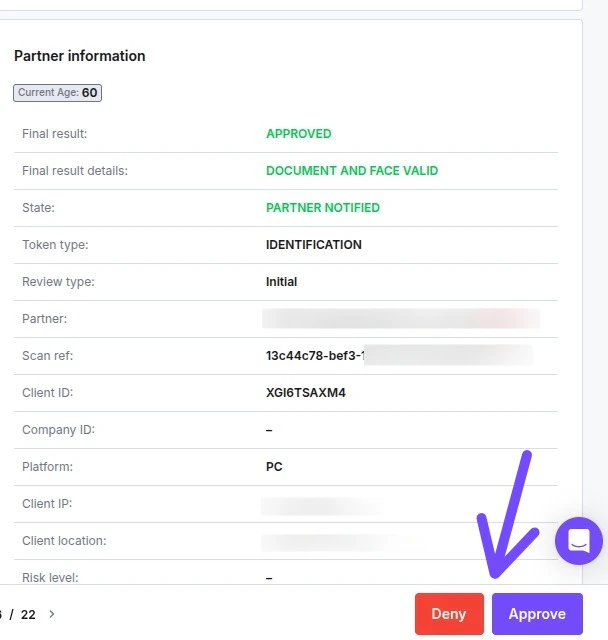
- Approve: You can manually approve a user who was Denied by the system (e.g., if you verified the data yourself).
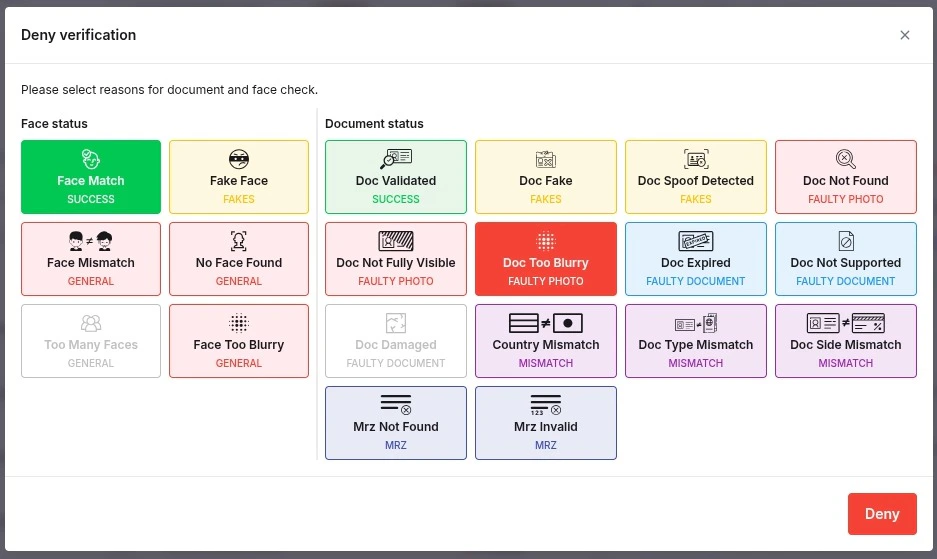
- Deny: You can manually deny a user who Passed the system checks but does not meet your specific internal criteria.
To locate these options:
- Navigate to Dashboard → ID Verifications → Verifications.
- Select the specific verification you wish to update by clicking the applicant’s Name.
- Look for the Approve and Deny buttons in the bottom-right corner of the page.
Limitations & Access Rights Before attempting to change a status, please check the following requirements:
- Admin Role Required: Only users with the Admin role can manually Approve or Deny verifications.
- “Deny” Availability: The option to manually Deny is available only for partners on the Charge Per Completed pricing model (Basic, Premium, or Enterprise).
- Missing Buttons? If you have the correct role but still do not see the Approve/Deny options, please contact Support to update your account permissions.