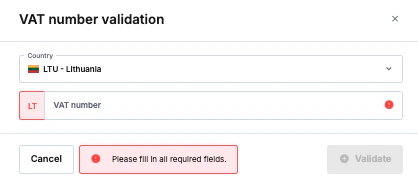
iDenfy has introduced an option to perform VAT number validation for the EU market. This allows our partners working with the EU market to establish if the company has an existing VAT number, and check if the company’s provided name and address match their provided VAT number. Currently, the service works with these countries: Austria, Belgium, Bulgaria, Croatia, Cyprus, Czech Republic, Denmark, Estonia, Finland, France, Germany, Greece, Hungary, Ireland, Italy, Latvia, Lithuania, Luxembourg, Malta, Netherlands, Poland, Portugal, Romania, Slovakia, Slovenia, Spain, Sweden. To have this service enabled, please contact our sales team via: sales@idenfy.com

How to add VAT number to KYB custom flow

KYB VAT check from the user side

Every flow set-up by the company is different. In this case, we want to show how an input field in the simplified flow would look.

How to check a VAT number on the partners’ side

Currently, there are 2 ways to check a VAT number. Regardless of the option chosen, you will have to review the retrieved result in the verification page: Screenshot 2025-04-22 at 14.52.24.png 1. The first option is to set up a VAT check automation and require the user to fill in the VAT field during the know your business verification: Screenshot 2025-04-22 at 14.43.36.png 2. The second option is to ask the partner to fill in the VAT details and manually check the details via the dashboard, in the verification page: AD_4nXezhMsLBQiR3uBVPxBjJM_OWd4E28y9_mM1EVE21daGeARgo1osirSPmHhOSMioyxiQMk9NptcSLx2nni1jLnxjt4uEYbIlSqMVTRq7n1V_SE3gbtZWw_L0HUPMrrfNfg23x4RT-key-b3iJBTv6GzvJWrcvR7Pw636_
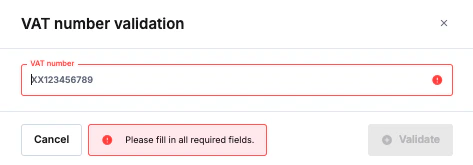
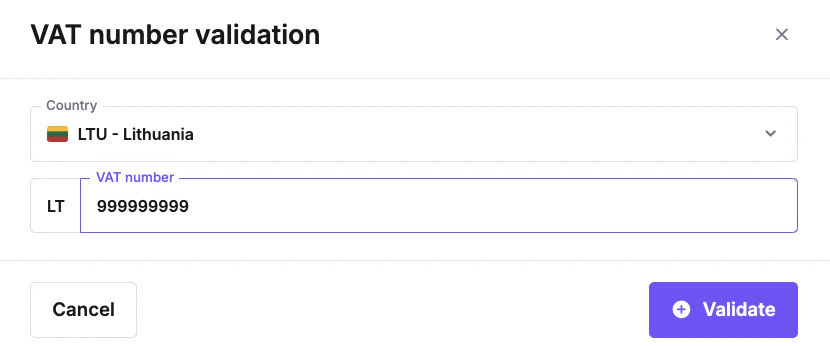
What happens if an incorrect VAT number is entered during the validation check?

The invalid status will be returned, and you will be able to perform a re-check: AD_4nXfW7ZSwkgkv0jq7QJsbAMyfbxWf7SOk4VJ1lwu6vOgSZrn5DJYl2EgTF6tzXuHsJXpafm84K8C3NenuAuDtlcKB0O8azFeCDprZ6cjlfH5UdhV-Qg7OHHKHZ5SSOh_NIVRhU232-key-QKujLTMWUdpyss756Loc6A