Address Verification
The address verification feature enables automatic identification of your clients’ addresses by extracting company and address details from their submitted documents. This data is then cross-checked against global databases, which review information such as country, zip code, and street address. If the address verification is successful, no tags are assigned. However, if the address cannot be fully verified, the verification is approved but flagged with a “suspected” tag. This ensures that companies with fake or non-existent addresses do not pass the verification. You can read more about the address verification here.GOV Register (Registry Report)
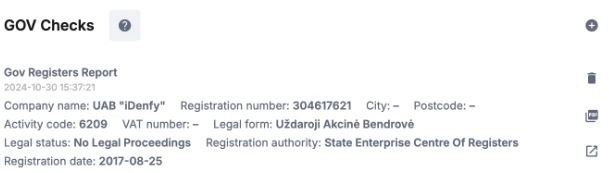
We offer two types of government registry reports: a Lite version and a Full Detailed version. Both reports evaluate a company’s legitimacy by examining historical business, financial, and ownership information from over 180 interconnected registries. This provides access to data on more than 170 million legal entities across 120 countries when you use our product. Our product is designed to simplify ease of use, making it convenient for you to use as a partner. Simply gather the company’s information by submitting a manual or automated request for verification and collect mandatory information such as company name, registration number, country, and region (for USA, Canada). Once submitted, you can either visit the verification page for manual review or use automated flow to check the company and decrease the decision time. If you decide to review the generated company report manually, you can view it in three ways: PDF, developer view, or data analyst view. This lets you make the best use of the information at hand. Example view of partial returned information: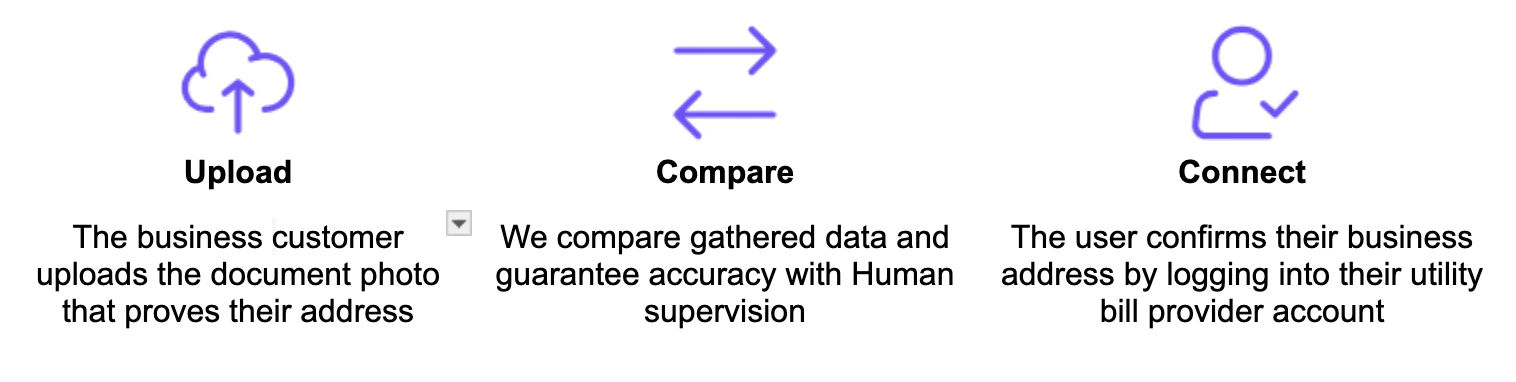
Credit Bureau Report
We offer two types of Credit Bureau registry reports, Lite and Full Detailed, which allow you to select the option that best suits your business needs. These reports provide up-to-date information on the business, including business status, ownership details, credit rating, financial data, additional company information, negative records, and registration activities. Both reports are readily accessible and available for download in PDF format. To generate a report, begin by collecting the company’s information through business verification, including its name, company registration number, and country. With this data, you can either manually generate the report by visiting the client’s completed verification page or set up automation to skip the manual process.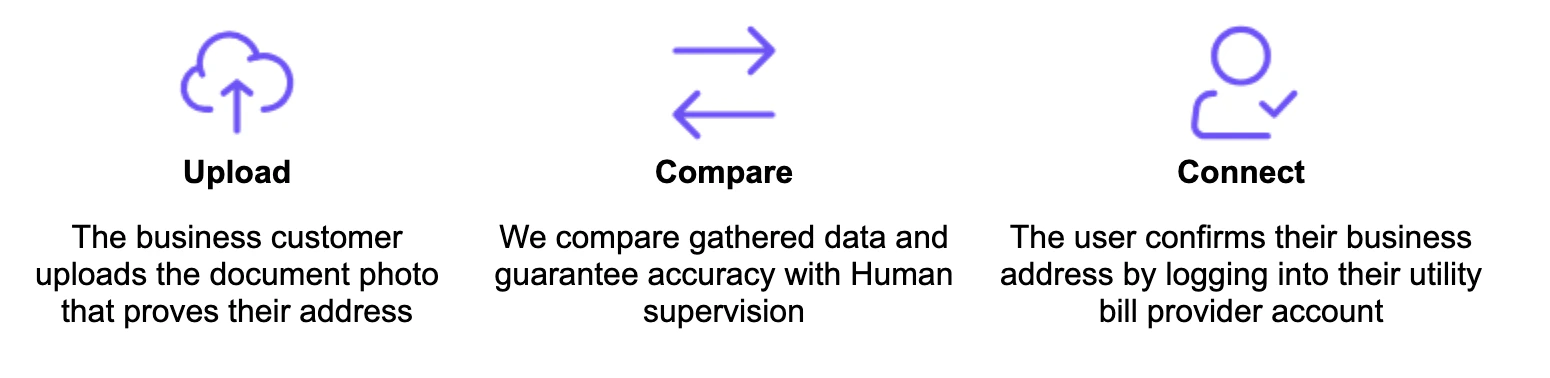
Address Audit
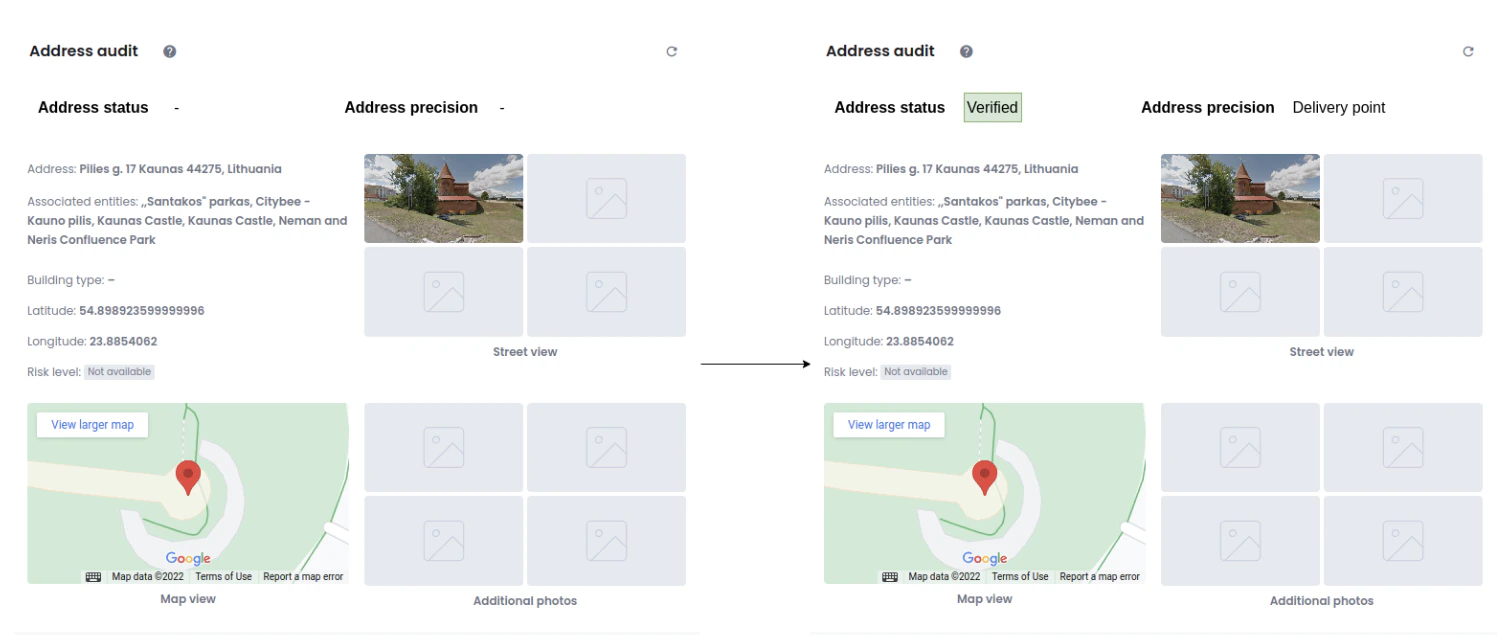
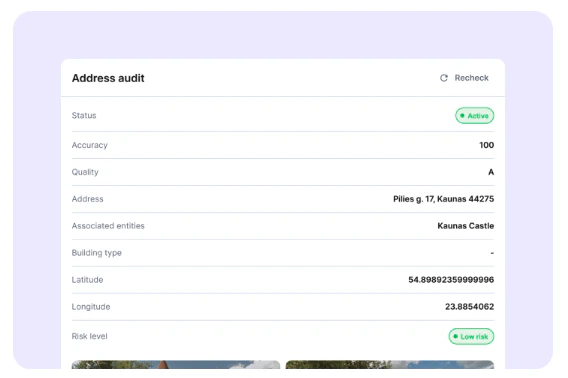
The Address Audit feature allows you to verify the business address details of the company that performed the business verification. Once the company completes the verification process on their end, you can initiate an address check by selecting the “Check” option in the address verification subsection. The reviewed information includes:- Nearby companies
- Building address
- Country
- Google Street View of the building and surrounding area (if available)
- Coordinates (longitude and latitude) for precise location mapping
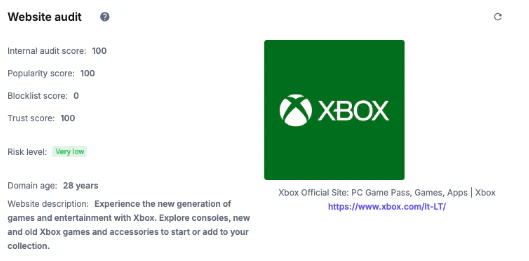
Website Audit
Website Audit enables you to review the website of the registering company. To perform the audit, the person who completed the KYB verification form must have provided a website link. Without this link, the audit feature will not function. If the link is missing or incorrect, use the available options to request additional information or contact the user to update the details. If we have the website information, the process will start manually or automatically, and the following results will be shown:- Internal audit score – explains how well the audited website is built, how many pages it has, and how well it is indexed by search engines and social media.
- Popularity score - explains how popular the audited website is in local and international markets.
- Blacklist score - determines how many fraudulent and bad reputation websites are mentioned on the audited website.
- Trust score - shows how many news agencies and other websites are positively mentioned on the audited website.
- Domain created - shows the audited website’s age and when the domain was registered.
- Website Activity - indicates the information about the main website’s activity based on the audited website.
- Risk level - determines the overall level by summing all above field results in a human-readable format.
Company Name Audit (Social Company Profile)
The Company Name Audit feature displays information about a company’s social profile by extracting data from Google, including its Google rating, reviews, description, address, phone number, and more. Accessing this information helps verify the company’s legitimacy. Additionally, you can expand comments and reviews directly within the dashboard to view full text. To conduct a company name audit, the company’s full address and name are required.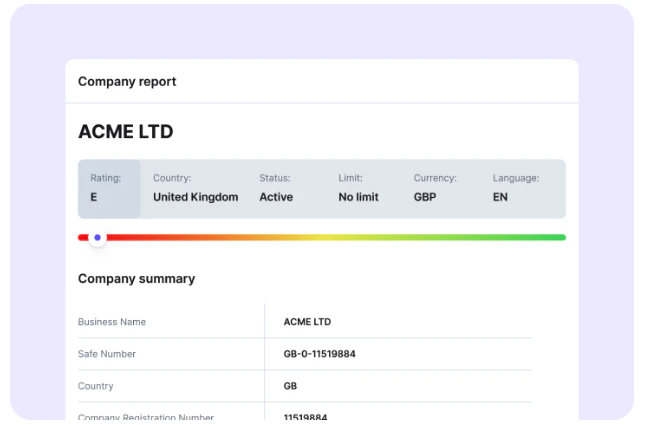
KYB White-Labeling
The KYB white-labeling option enables full customization of the interface used during the Know Your Business verification process. This includes modifying UI colors, adding the company logo, and even incorporating the company’s preferred font. Once all the details are set up, the feature allows the partners to dynamically see how their customizations will appear. You can create multiple white-labeling themes, but only one theme can be active at a time.
Other Risk Factors
The other risk factors section allows you to perform multiple checks associated with the company in one place. The checks include:- Company Website Domain Check - Verifies whether the company’s website domain matches its email domain.
- Beneficiaries’ Email Domain Check - Confirms if the email domain of the beneficiaries matches the company’s email domain.
- IP Country Match - Ensures that the IP location (at the country level) aligns with both the IP used during registration and the company’s registered country.
- Company Email Duplicates - Identifies duplicate email addresses by comparing those of the partner’s clients (companies) with newly registered clients (companies).
- IP Proxy Check - Assesses the risk level of an IP address by detecting links to known fraudulent proxies.
- Fraud Probability Estimation - Analyzes multiple customer-related data points to determine the likelihood of fraudulent activity.