

To Find the KYC Settings
Open settings in the navigation bar on the left and select Know Your Customer (KYC) under Product Settings.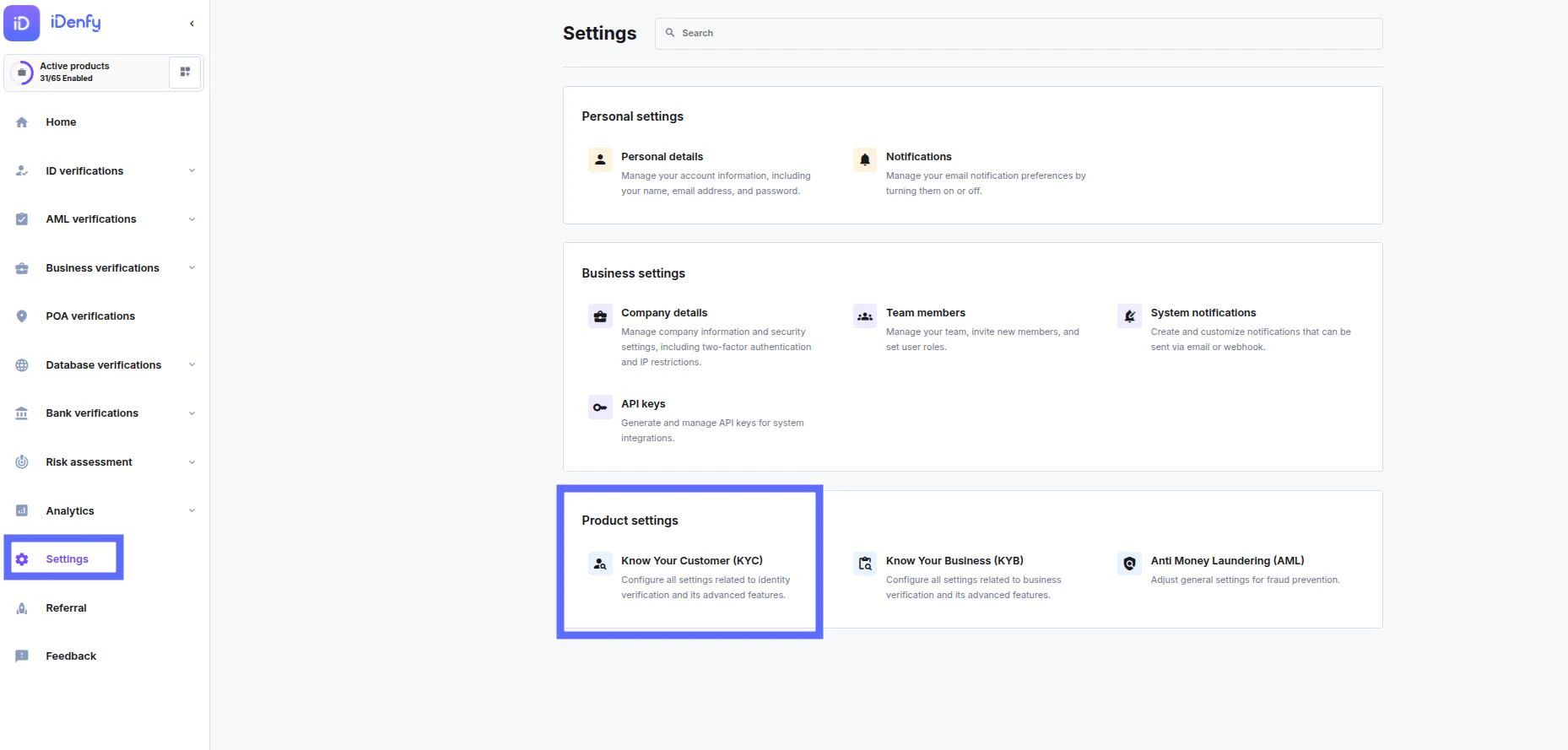
Setting Tabs

- Configuration – Manages API keys, webhooks, and general settings for the verification workflow.
- Document & identity verification – Controls which ID types are accepted (passports, driver’s licenses) and how strictly they are validated.
- Biometric & liveness – Configures facial recognition matching and checks if the user is a real, live person (not a photo or mask).
- AML & fraud prevention – Screens users against global sanctions/PEP lists and monitors for suspicious device behavior.
- Proof of address – Sets rules for verifying residence using documents like utility bills or bank statements.
- User interface & SDK – Customizes the technical integration, including language options and mobile/web SDK behavior.
- Branding – Personalizes the verification flow with your company logo and color scheme.
- Privacy policy – Manages the legal consent text and privacy terms displayed to the user during verification.