

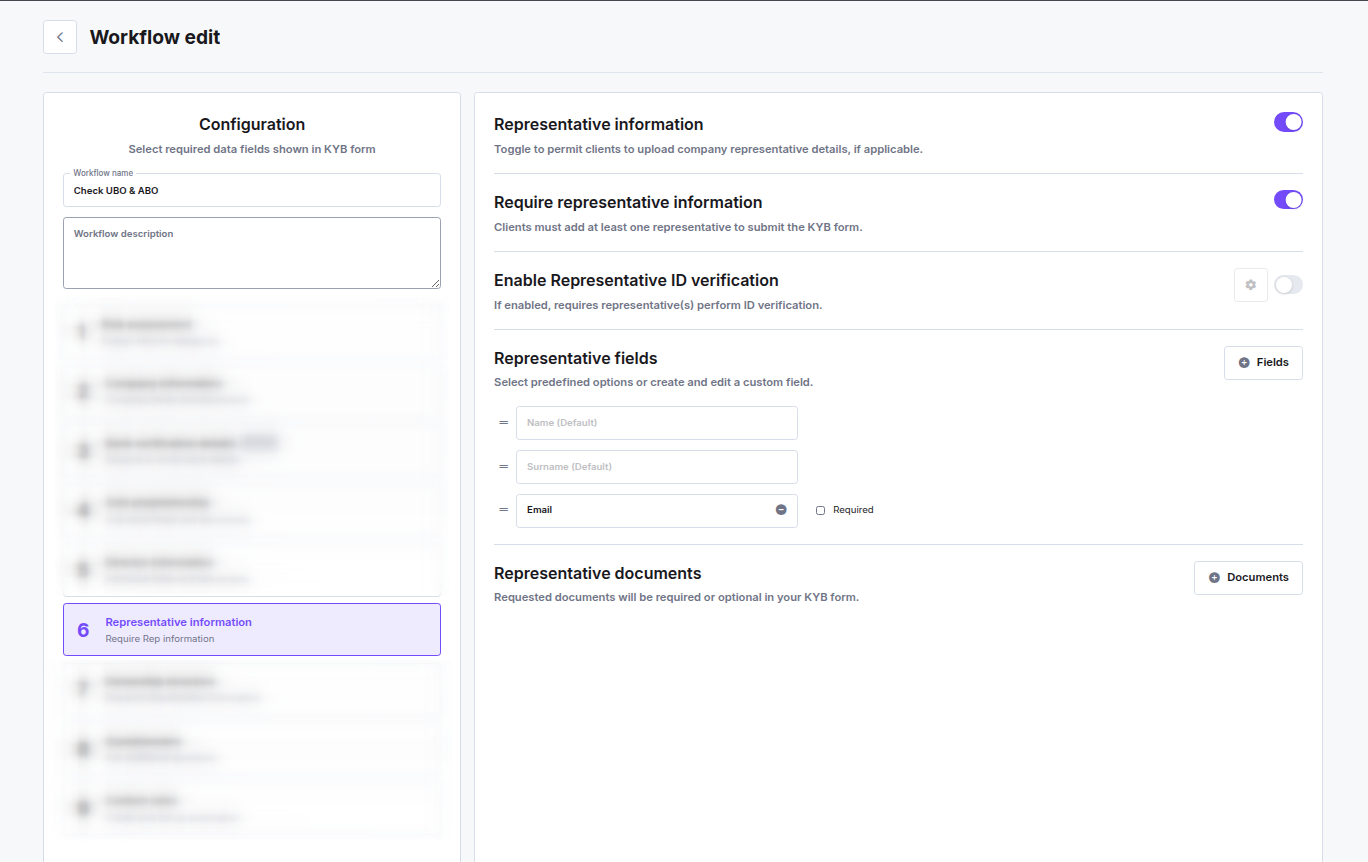
Toggles
Representative Information
Enables the representative step in the KYB flow. When off, the step is hidden entirely and clients are not asked for representative details.Require Representative Information
When on, clients must add at least one representative before they can submit the KYB form. When off, the step is shown but clients can proceed without adding a representative.This toggle is only available when Representative information is enabled.
Enable Representative ID Verification
When on, each representative must complete identity verification (selfie + ID document scan) as part of the KYB flow. A settings icon next to the toggle opens the IDV configuration for this step.Representative Fields
Select which data fields to collect from each representative. Click Fields to add predefined or custom fields. Default fields (always included):- Name
- Surname
- Email — can be added and optionally marked as Required